
When an instant crypto swap cannot be completed, the exchange may ask for a refund address. This is not simply another wallet address: it must receive the same asset on the same blockchain network used for the relevant deposit. A correct-looking address on the wrong network can delay a refund or make the funds difficult or impossible to recover.
Summary: Confirm the deposited asset, network, and transaction before providing a refund address. Use a wallet or supported account that can credit that exact asset on that exact network. Submit the details only through official support, then verify the refund transaction on the matching blockchain explorer.
The safest approach is to treat a refund as a reverse payment with its own network check. Do not select an address because its characters look familiar or because an exchange supports the coin generally.
This checklist applies to instant-swap refunds involving an underpayment, overpayment, failed order, or deposit that needs manual review. If the original order is still pending, first review the stuck crypto swap order checklist.
Confirm the deposit network before choosing an address
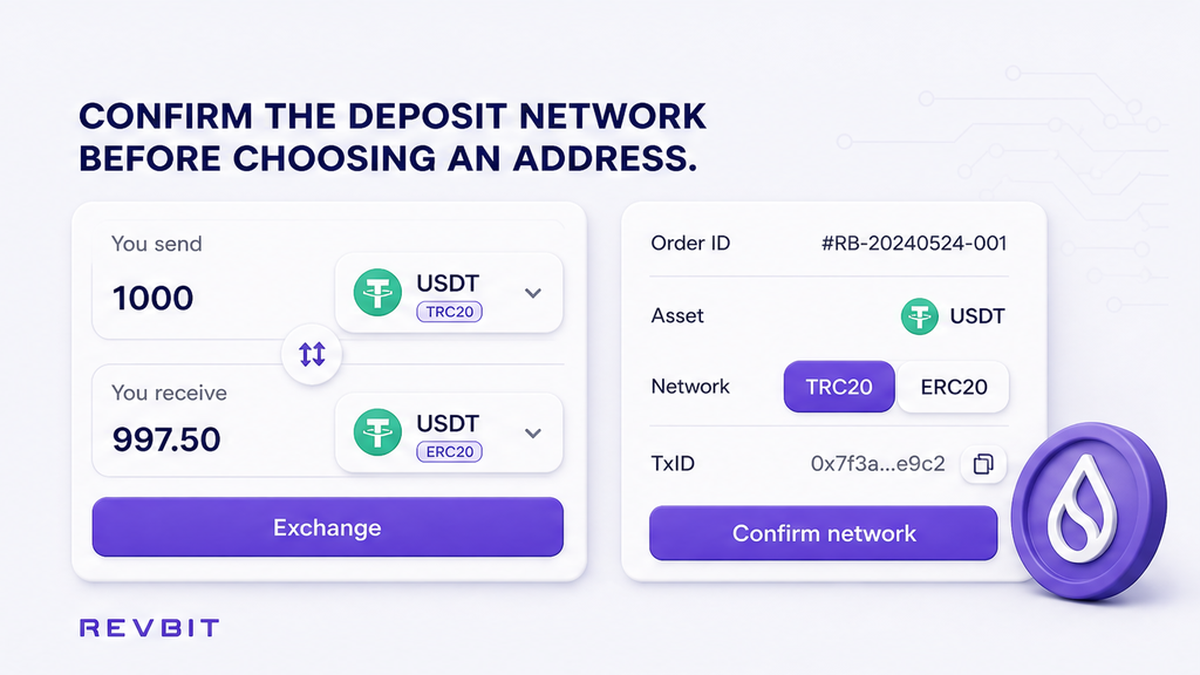
Start with the order record, not with your wallet address book. Write down the asset you deposited, the network shown for the deposit, the amount, and the order ID. A symbol such as USDT is incomplete information because USDT can exist on several networks with different transaction formats and receiving requirements.
Next, copy the deposit transaction ID, often called a TxID or transaction hash. Open the explorer for the network selected in the order and search for that transaction. Confirm that it belongs to your wallet and shows the expected asset and amount.
This prevents a common mistake: using the network shown by a wallet’s current receive screen instead of the network that actually carried the deposit. If the order record and transaction appear to disagree, stop and ask official support to clarify before supplying an address.
Do: Match the order, TxID, asset, and explorer network as four parts of one record.
Don’t: Guess the network from the ticker, address format, or the fact that the wallet displays the same coin on multiple chains.
How to generate a receive address for the exact asset and network
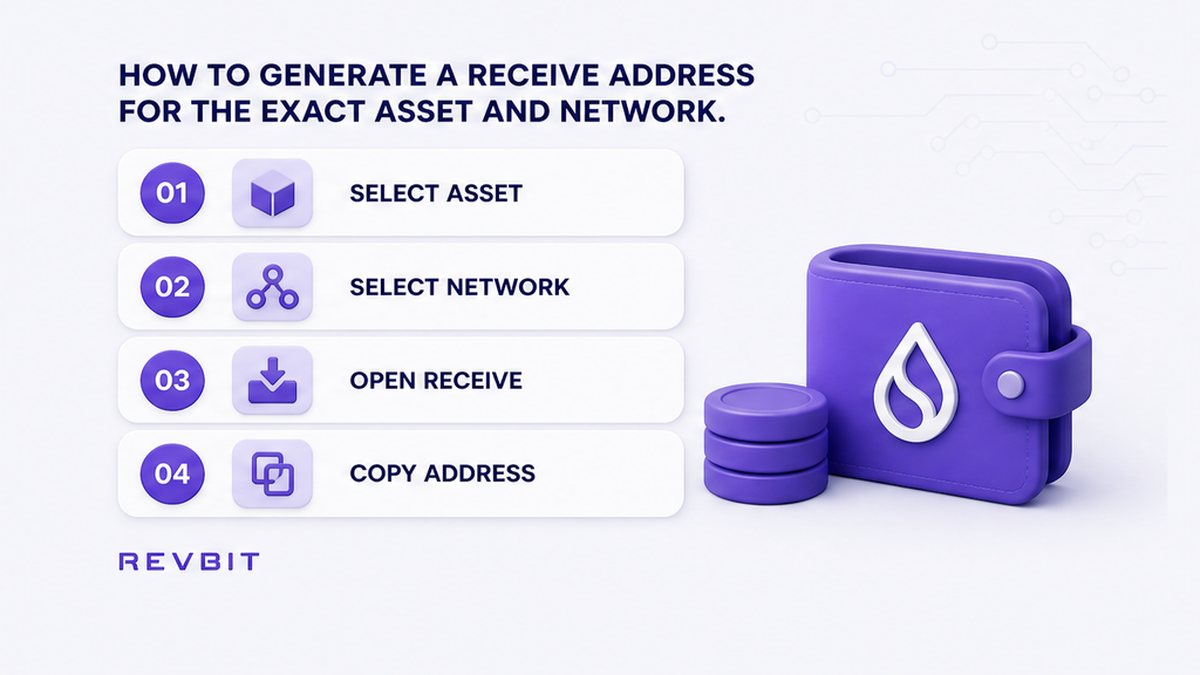
Use a self-custody wallet or another destination where you can clearly select both the asset and its network. Open the receive screen, choose the exact asset, and then choose the same network used for the deposit. Read the network label beside the address before copying it. If the wallet presents several choices, do not rely on the default selection.
For example, an ERC-20 token is transferred through Ethereum, while a TRC-20 token is transferred through Tron. The asset name may be identical, but the ledgers, transaction formats, fees, and receiving paths are different. A refund sent through Tron does not become an Ethereum deposit merely because both destinations display an address.
Check the first and last characters after pasting the address into the support form, but do not treat a visual check as proof of network compatibility. Do not provide a swap input address, expired deposit instruction, smart-contract address, or address copied from an unrelated order.
Do: Select the asset and network together, then copy the receive address from that exact screen.
Don’t: Send “any USDT address” or assume that support for one token version covers every network.
How to reject wrong-chain, CEX, and missing-tag shortcuts
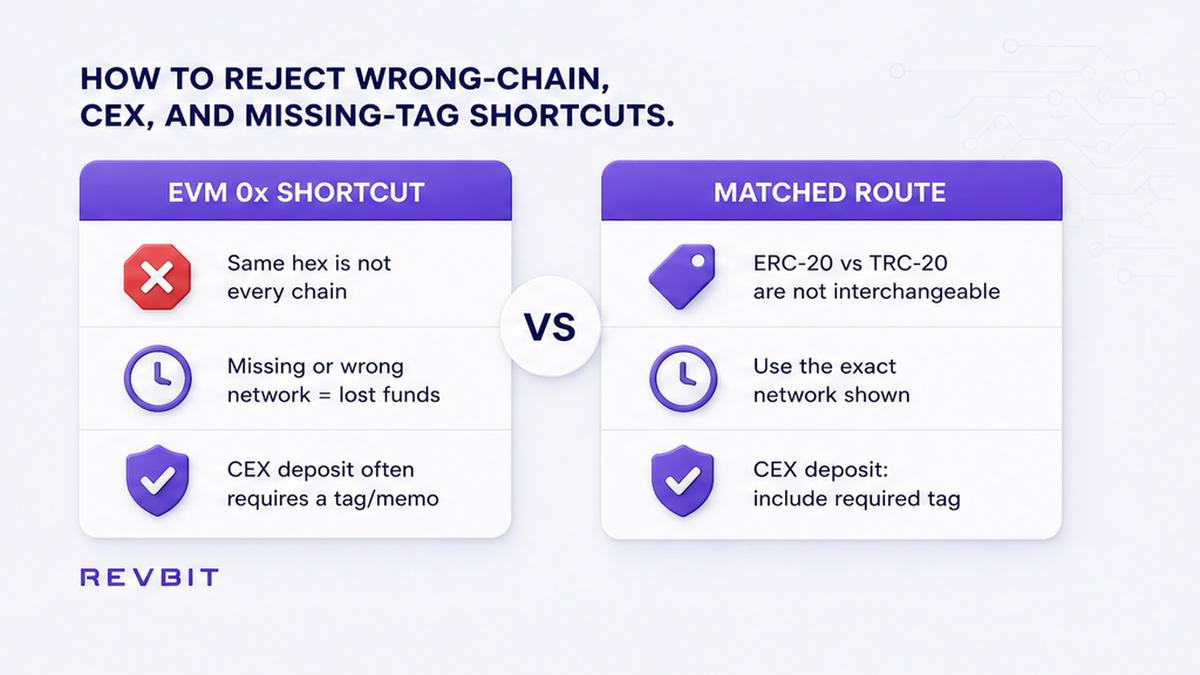
Self-custody EVM wallets create a particularly confusing shortcut. Ethereum, BNB Chain, Polygon, and other EVM networks can use addresses with the same hexadecimal form, often beginning with 0x. The same address text may be controlled by the same wallet key on more than one network, but that does not make every refund route safe.
Do not apply that shortcut to Tron, Bitcoin, or a centralized exchange account. Tron and Bitcoin use different address formats and transaction systems. A centralized exchange may assign an address only for a particular network or account-credit process and may require an internal memo or destination tag.
Centralized exchange deposit addresses require special caution. The refund must arrive through a network and asset route that the exchange explicitly supports for that deposit address. If it shows choices such as ERC-20 or TRC-20, select the one matching the original deposit. Do not assume that the exchange will automatically recover an unsupported transfer.
Ask the receiving platform whether the refund will be credited automatically and whether a memo, tag, payment ID, or other reference is required. See the destination tag and memo checklist for examples of this risk.
When support asks for a different network, do not follow the request blindly. Ask why the network differs, what exact asset will be sent, and whether the proposed route is documented in the official order or support system.
Do: Treat a CEX address as a special deposit procedure and verify its network and credit requirements.
Don’t: Use a familiar 0x address, generic exchange address, or different chain simply because it appears faster.
How to submit evidence through official support and verify the refund
Use the exchange’s official order page or official support channel. Do not send a refund address to a Telegram, X, Discord, or other direct-message account claiming to represent the exchange. Impersonators commonly ask for a private key, seed phrase, remote access, an extra payment, or a “verification transfer.” None is needed to provide a receive address.
Include enough information for support to identify the transaction:
- the order ID;
- the deposited asset;
- the exact deposit network;
- the deposit TxID;
- the amount sent;
- the refund address;
- the selected refund network;
- the memo or destination tag, if required.
Check the address character by character after pasting it into the official form. If the form displays a network selector, confirm it again before submission. Never include a seed phrase, private key, wallet password, two-factor authentication code, or unrelated identity document in a support reply.
After support provides a refund TxID, open it on the explorer for the network used by the refund. Confirm the asset, destination address, amount, and transaction status. Do not move or convert the returned funds until the transaction is visible on the expected network and the receiving wallet or account shows the credit.
If the refund does not appear, do not send another transaction to “unlock” it. Compare the TxID with the official support conversation and report any mismatch through the same official channel.
Do: Keep the order ID, original TxID, address, network, and refund TxID together until the funds are credited.
Don’t: Trust a screenshot as proof of payment or respond to a support impersonator asking for credentials or an extra transfer.
Use this seven-step refund address checklist
- Open the order record and identify the deposited asset and exact network.
- Copy the original deposit TxID and locate it on the matching blockchain explorer.
- Confirm that the explorer shows the expected asset, amount, and destination associated with the order.
- Open a trusted wallet or supported receiving account and select that same asset and network.
- Check whether the destination is self-custody or a CEX account, and verify any memo, tag, or credit rule.
- Send the address through the official order or support channel with the order ID, TxID, amount, and network.
- When a refund TxID is supplied, verify it on the same network before moving the returned funds.
If your order involved an underpayment, compare the case with the underpaid swap refund checklist. For an overpayment, use the overpaid swap refund checklist. These cases can require different evidence, but neither changes the same-network rule.
Frequently asked questions
Can I use an ERC-20 address for a TRC-20 swap refund?
Usually not. The refund should match the network used for the relevant deposit. Ask support to confirm the route before providing an ERC-20 address for a TRC-20 transaction.
Should I give a Binance deposit address as the refund destination?
Only if Binance confirms that the exact asset and network are supported for that address and that any memo or tag is included. A CEX address is not automatically safe for every refund.
What if support asks for a refund address on a different chain?
Pause and request written clarification through the official channel. Ask which asset will be sent, which network will carry it, and how the receiving account will credit it. Do not follow an unexplained network change.
Do I need a memo or destination tag on the refund address?
Some exchange deposits require one, while self-custody wallets may not. Check the receiving platform’s current deposit instructions and provide the tag exactly as displayed.
Does an identical EVM address work across every refund situation?
No. Similar hexadecimal text does not prove that the asset, network, exchange credit path, or refund process is compatible. Verify the network and destination rules independently.
What evidence should I include when contacting RevBit support?
Include the order ID, deposit TxID, asset, amount, network, and proposed refund address. For exchange-application claims, use the current official support route and provide complete supporting evidence.
Disclaimer: The material in this article is not financial or investment advice. Everything stated here reflects the author's personal view and should not be treated as a recommendation to trade or invest. We make no warranties regarding the accuracy, reliability or completeness of the information presented. Cryptocurrency markets are highly volatile and can move unpredictably. Before committing any funds, every investor, trader or crypto user should study several independent sources and check the regulations that apply in their own jurisdiction.