
You send XRP and the blockchain says success, but the exchange never credits you. Usually the wallet address was right and the destination tag was blank or copied from an old screenshot. Treat the address as the building and the tag as the apartment number. Use this crypto destination tag checklist before every XRP, XLM, or TON send: pull both fields from the live order UI, paste them clean, and know what RevBit Terms 2.12 allow if you already missed the memo.
Summary: On shared exchange deposits, the address alone is not enough for XRP, XLM, and TON. Copy address + destination tag / memo / comment from a fresh order screen, confirm the extra field is not blank, then sign. Prefer a small test on large amounts. If you already sent without a required tag, save the TxID and contact official support – recovery is not guaranteed (RevBit Terms 2.12: 5% fee, minimum USD 20, only if amount > USD 30, review up to 14 days, refusal possible).
Instant swaps often land in a shared hot wallet – one “building” for many customers. The long address gets coins to the building. The destination tag (memo, or on TON a comment) is the apartment number that maps funds to your order. Miss it and the chain can show success while your balance stays empty.
Do not treat this as theory. Run the checklist every time the order UI shows a tag, memo, or comment field.
Treat address vs tag like building vs apartment
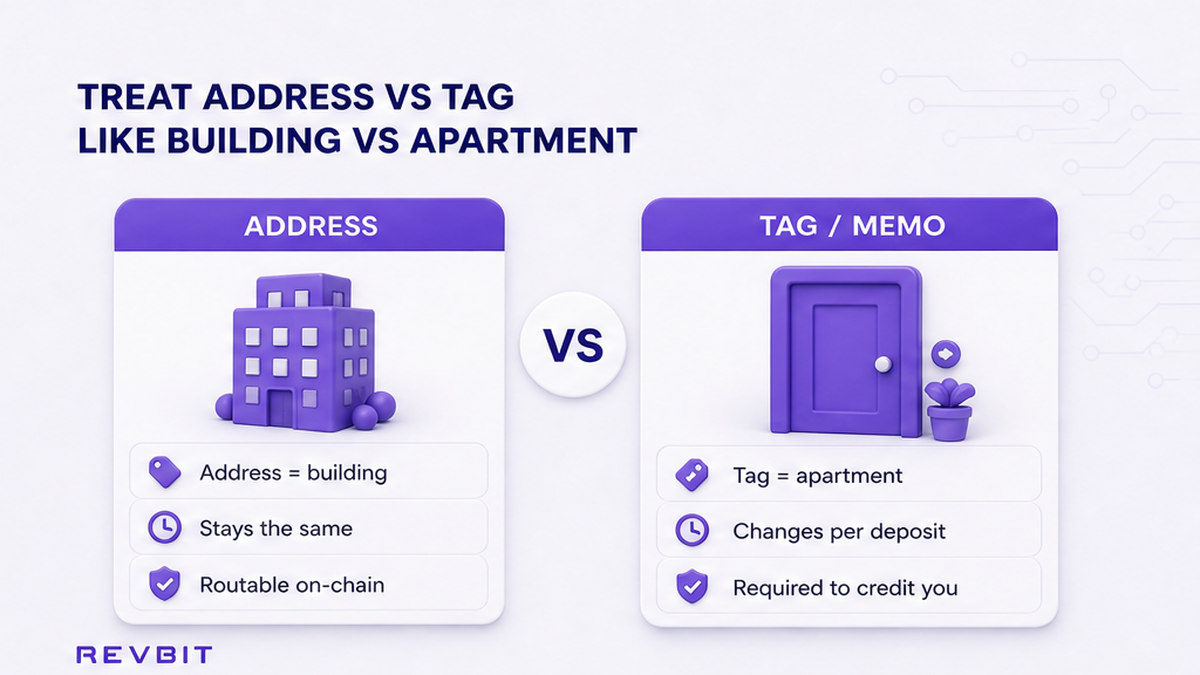
Plain language: the address is the street and building. The destination tag, memo, or TON comment is the apartment. Validators deliver to the building; the exchange deposit software sorts by apartment number.
Ledger Support describes the same pattern: exchanges reuse one deposit address for many users, so they need an extra ID. Self-custody addresses you control usually do not need that field – there is no shared mailroom.
Do: if the receiving screen shows a tag/memo/comment, treat it as mandatory even when your sending wallet marks the field “optional.” Don’t: send with only the address because someone said “tags are optional for XRP.” On shared deposits they are not.
Workflow: Open deposit order → Copy address → Copy tag/memo/comment → Paste both in the sending wallet → Re-check both → Sign only if the required tag field is not blank.
Check which assets typically require a memo or tag
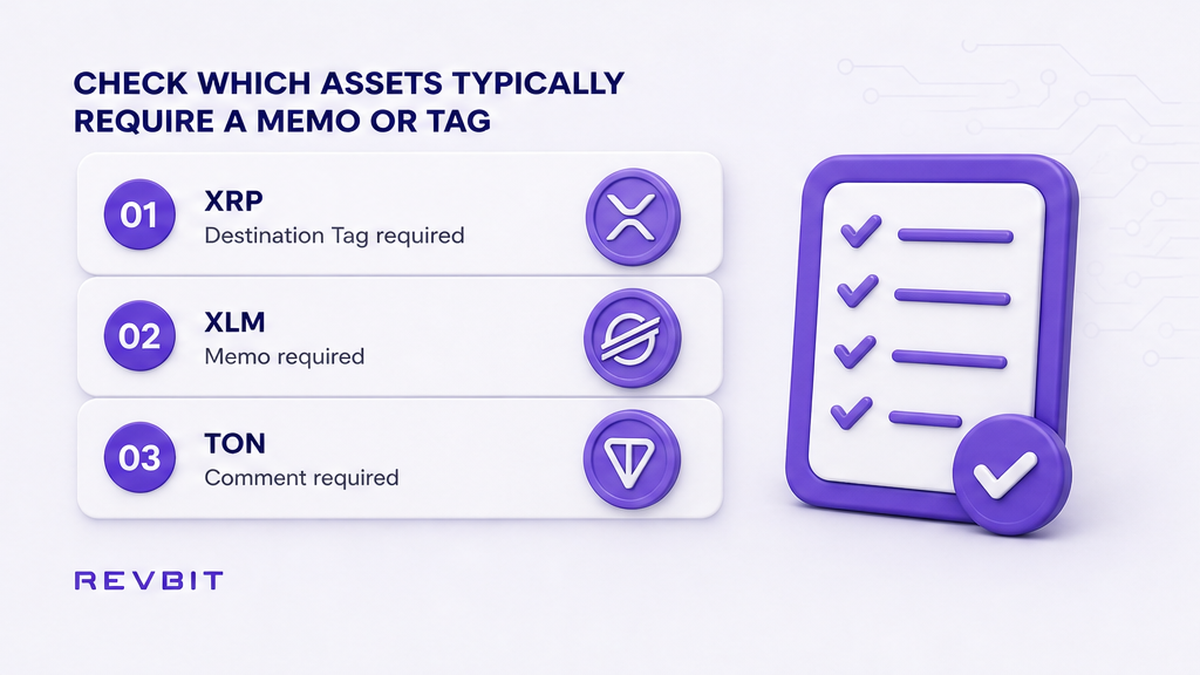
Names change by network. The job is the same: an extra identifier for a shared deposit.
| Asset / network family | Extra field name | Typical format | When you need it |
|---|---|---|---|
| XRP (Ripple) | Destination tag | Numbers only | Sending to an exchange / shared deposit |
| XLM (Stellar) | Memo | Text and/or numbers | Exchange deposits that show a memo |
| TON | Memo / comment / message | Text and/or numbers | Many exchange TON deposits on a shared address |
| ATOM, EOS, HBAR, and similar | Memo / memo tag (label varies) | Platform-specific | Whenever the order UI asks for it |
| BTC, ETH, USDT (TRC-20 / ERC-20) | No XRP-style destination tag | – | Match address and network; do not invent a tag |
RevBit docs state that a Destination Tag (Memo) is required for shared exchange wallets (examples include EOS, XRP, XLM, and similar). Kraken public XRP help shows the same risk: many accounts can share one deposit address, the tag is mandatory, and forgetting it can mean long delays or funds that may be irretrievable.
Do: follow the field the live UI labels – tag, memo, or comment. Don’t: invent a memo for BTC “just in case,” and don’t skip a TON comment because your wallet hid the field.
Network still matters separately. USDT on RevBit often defaults to TRC-20 for receive – a network choice, not a memo. Pair this with the crypto swap network selection checklist when ticker and chain diverge.
Copy the tag from the live order UI, never from an old screenshot
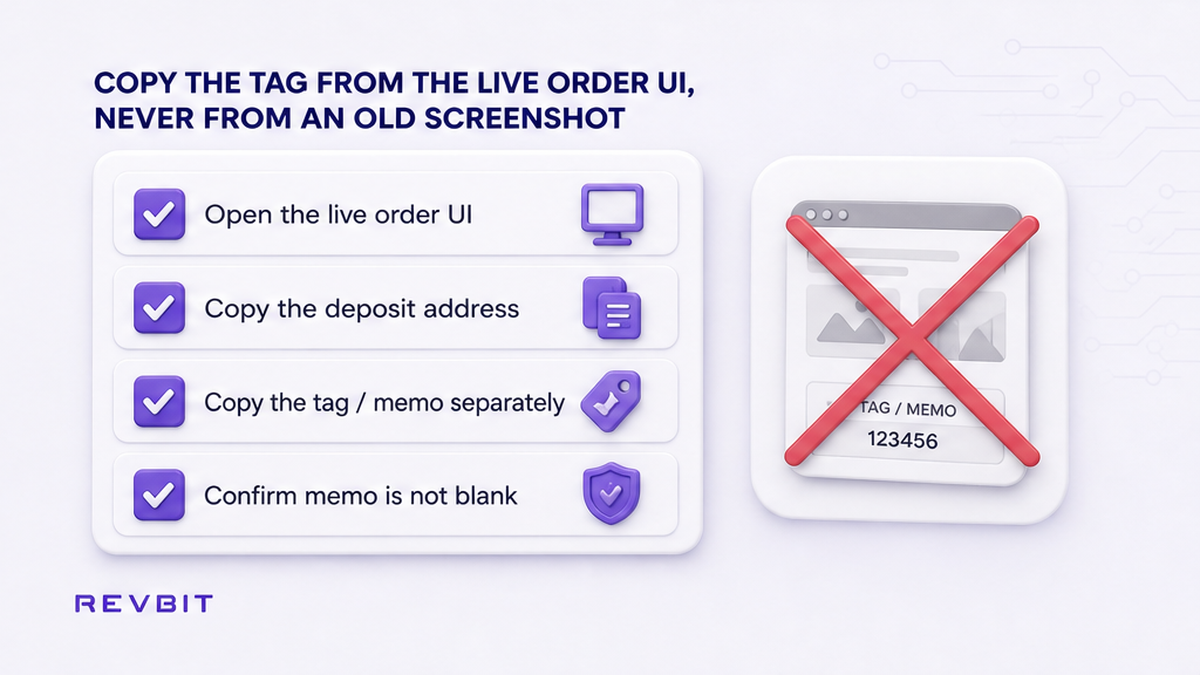
Most missing-tag losses start before you hit send: a saved address book entry, a Telegram screenshot from last month, or a chat string that already expired for a new order.
- Open a fresh swap or deposit screen for this exact order.
- Copy the deposit address from that screen only.
- Copy the destination tag / memo / comment as a separate action from the same screen.
- Paste both into the sending wallet; make sure the memo field is not empty before you sign.
- Compare the first and last characters of address and tag against the order UI once more.
- If the amount is large, send a small test first and wait for full credit before you scale.
Prevention guides repeat the same rule: fresh deposit page, copy address and memo separately, confirm the field is not blank. XRP tags are usually numeric; XLM memos can be alphanumeric; TON comments can act like a tag – so copy what your order printed.
Do: treat every new order as a new apartment number. Don’t: reuse last week’s tag, and don’t send a second “fix” transaction unless official support asks.
When you are ready for a clean swap, create the order on the RevBit homepage swap widget and keep both fields visible until the send is confirmed.
Read what RevBit Terms say about recovery (fee, minimum, no guarantee)
Prevention beats recovery. Still, know the written limits before you assume support can “just find” a missing memo.
RevBit Terms of Use clause 2.12 states that a wrong or missing MEMO / Destination tag (and also wrong network or wrong address) can cause irretrievable loss. You may notify support with proof. If a recovery path is offered, the service fee is 5% of the amount with a minimum of USD 20. A refund request is considered only if the amount is greater than USD 30. Review can take up to 14 days. The platform may refuse without explanation. That is not a recovery guarantee.
Read RevBit Terms of Use and Destination Tag (Memo) before you escalate. Claims on exchange applications follow a separate Terms path (within 7 business days to support@revbit.net).
Do: save TxID, amount, asset, address, time, and order ID, then contact official channels via RevBit support. Don’t: expect wrong-network or wrong-address sends to be recoverable just because Terms mention a memo recovery fee.
Run the pre-send checklist and a tiny test when the amount is large
Use this crypto destination tag checklist as a final gate before you sign:
- Order screen is fresh for this send (not a screenshot).
- You confirmed whether the asset needs an extra ID (XRP / XLM / TON / UI-asked memo assets).
- Address pasted from the live UI.
- Destination tag / memo / TON comment pasted from the same UI.
- Memo field in the sending wallet is not blank when required.
- Network matches the order (especially USDT TRC-20 vs ERC-20).
- For a large amount: small test sent and fully credited first.
- You did not invent a tag for BTC/ETH-style transfers.
Do: wait for the small test to credit fully before you scale. Don’t: rush a second large send because the first tx “looked confirmed” on an explorer – on-chain success is not the same as credited to your order.
For the full swap flow, keep how to swap crypto on an instant exchange next to this memo checklist. More how-tos: RevBit blog.
What to do next after the checklist
- Create the order only when both address and tag/memo fields are visible.
- Send the exact amount shown for that order.
- Track status on the official order page until credit completes.
- If credit fails and a tag was required, stop sending and open official support with TxID.
- Eligible users can run one small practice swap on the RevBit swap widget with memo fields filled, then scale only after credit lands.
EU/EEA residents cannot use the RevBit swap service – check eligibility before you start an order.
Frequently asked questions
Can I recover XRP sent without a destination tag?
Maybe, not guaranteed. Contact the receiving platform with TxID, amount, address, and time. On RevBit, read Terms 2.12 first: recovery may cost 5% (minimum USD 20), only if amount > USD 30, review up to 14 days, and refusal is possible. Do not send a second fix unless official support asks.
Is a destination tag the same as a memo?
Same job, different labels. XRP usually says destination tag (numbers). XLM usually says memo (text and/or numbers). TON often uses a comment/message field. Always copy the exact field your order UI prints.
Do BTC transfers need a memo?
No XRP-style destination tag. Still match the exact address and network. For USDT, pick the correct network (for example TRC-20 vs ERC-20) instead of inventing a memo.
Do I need a tag when sending to my own Ledger?
Usually no. Self-custody addresses you control are not a shared exchange mailroom. You need the extra ID when depositing to an exchange or any screen that shows a tag/memo/comment for a shared wallet.
Should I send again with the correct tag to fix a miss?
Don’t, unless official support instructs a specific verification send. A second transfer can create a second loss. Save proof, stop, and use official support channels only.
What if the blockchain shows success but my swap is still empty?
On-chain success only means the building received mail. Without the apartment number, the platform may not assign it to your order. Check whether the order required a tag, then open official support with TxID – not unofficial chats.