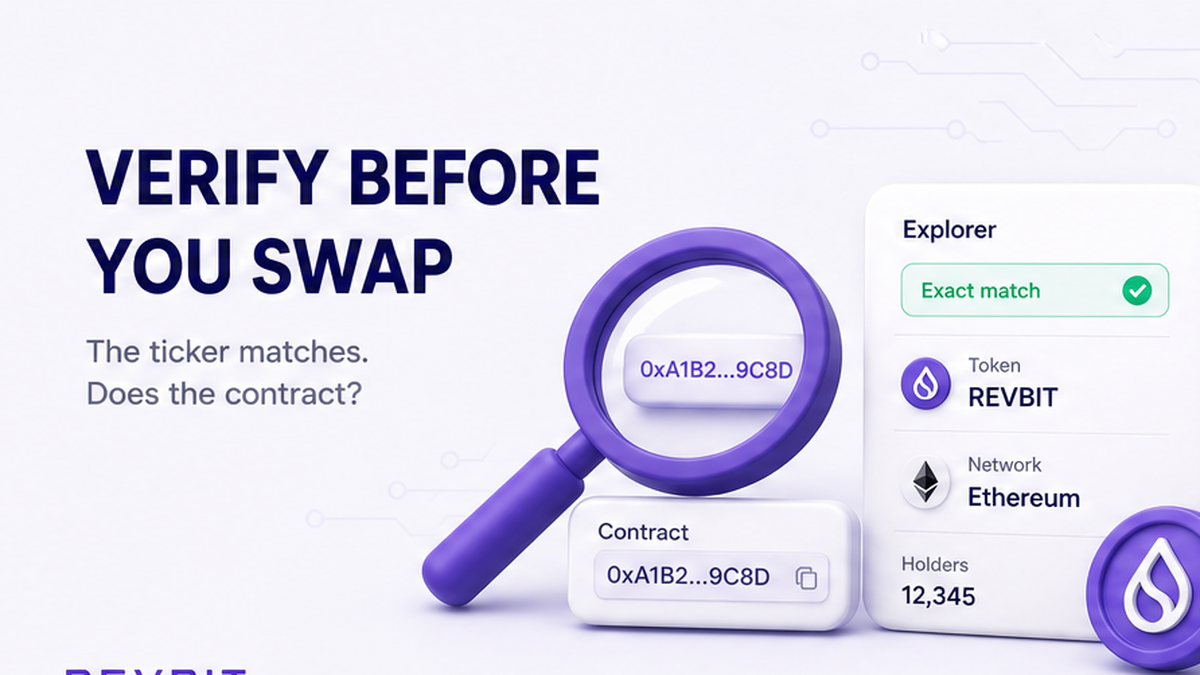

A token’s name, ticker, and logo can all look right while the address points to a different asset. Before you swap, identify the exact network, copy the full contract or mint address from the project’s own site, open it in that chain’s explorer, and compare it with the asset in your order. The checks below help you catch lookalikes, unsafe requests, and simple network mistakes before any funds leave your wallet.
Summary: Verify three things before a crypto swap: the network, the full token contract or mint address, and the asset shown in the order. Get the address from the project’s own site, inspect it on the correct chain explorer, and stop if any detail differs. A verified-code badge or familiar logo is useful context, not proof that a token is safe.
A token address works like a unique account number. Names and short symbols are labels that other contracts can copy. On Ethereum and similar networks, the identifier is usually called a token contract address. On Solana, it is called a mint address.
Use this workflow: asset and network → official project source → matching explorer → full address comparison → swap order → small test. Starting with a logo or ticker makes a convincing copy harder to spot.
Set the token and network first – don’t search by ticker alone
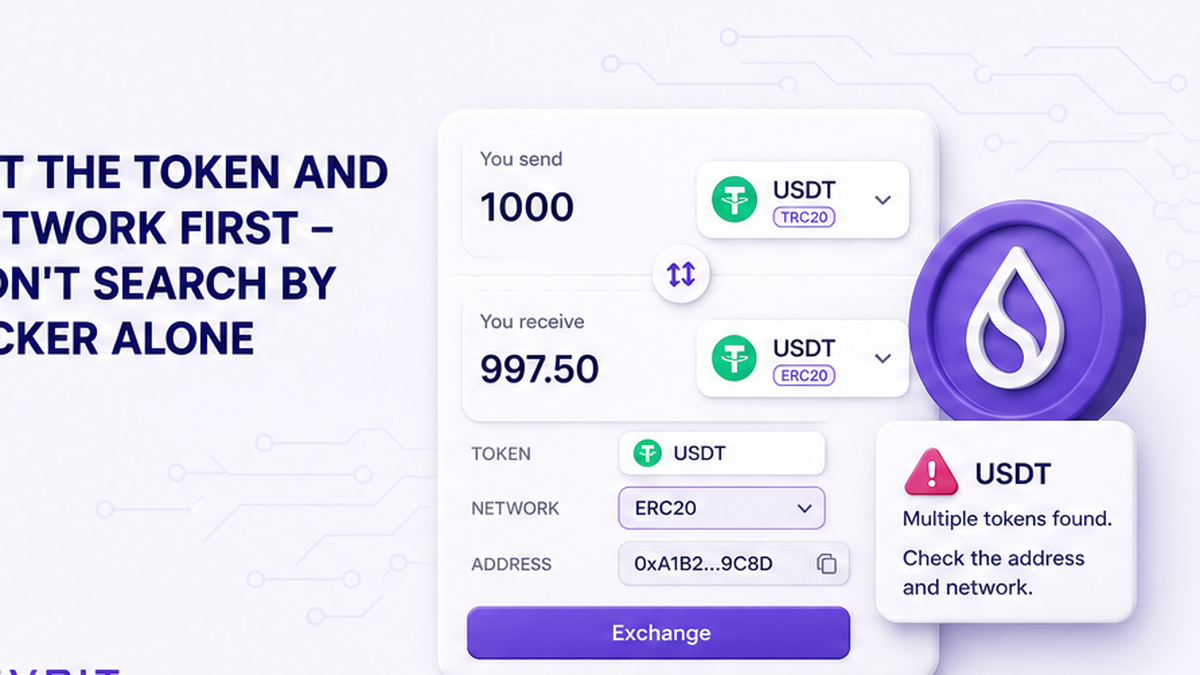
Write down the asset and network shown in the swap widget before searching. A network is the rail that carries the token. The same readable name can appear on different rails, and the recipient may be unable to credit an asset sent on the wrong one.
Anyone can deploy a smart contract on Ethereum. An ERC-20 contract, meaning a token program that follows common Ethereum rules, can reuse another token’s name and symbol. A ticker is a hint, not an identity card. The full address and network form the identity check.
Do: keep the network name visible while you verify the token. Don’t: choose an asset only because its name, ticker, balance, or logo looks familiar.
Copy the address from the project – don’t trust a forwarded link
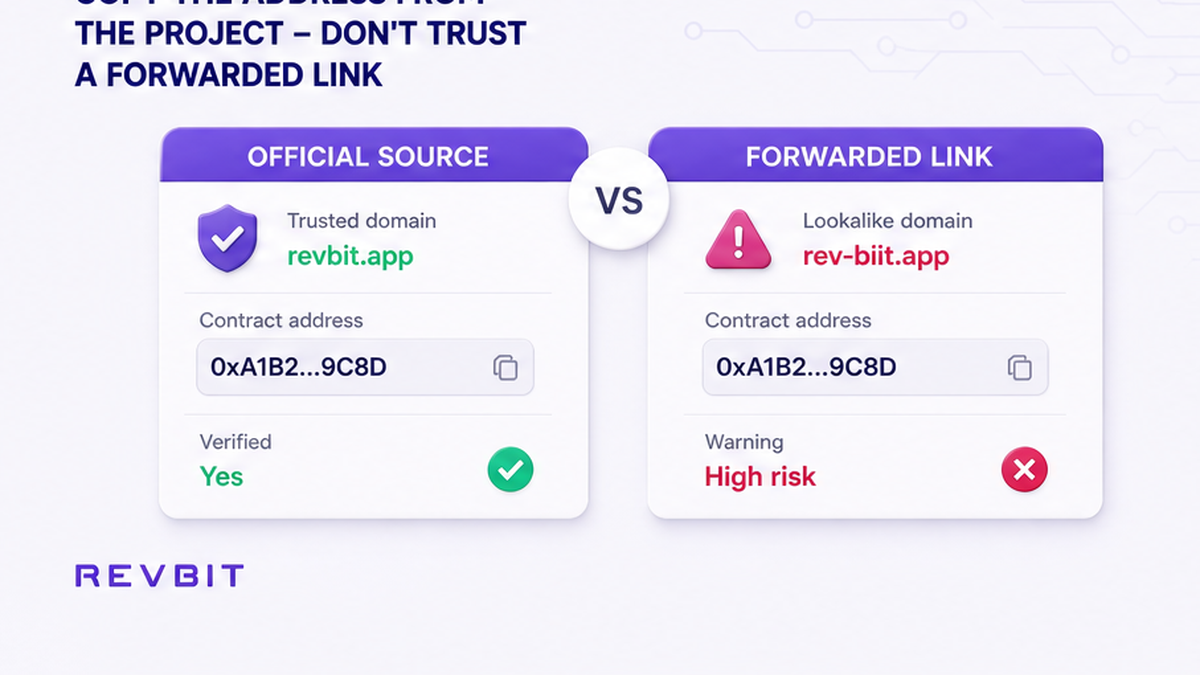
Open the project’s known official website or documentation independently, using a bookmark or URL you already trust. Copy the complete address for the exact network you selected. A lookalike can copy presentation details, but it cannot use the legitimate token’s same address.
Avoid addresses from direct messages, comments, or unofficial support chats. Check the domain before copying. If the official source does not publish an address for your network, pause instead of using the first search result.
MetaMask also documents lookup through a chain-specific explorer, listing site, or its Extension. Use its token address guide as a lookup aid, not a replacement for the project source.
Do: copy the address, network, and source URL into a temporary note. Don’t: retype a long address from a screenshot or accept one supplied by a stranger.
Open the matching explorer – don’t mix up blockchains
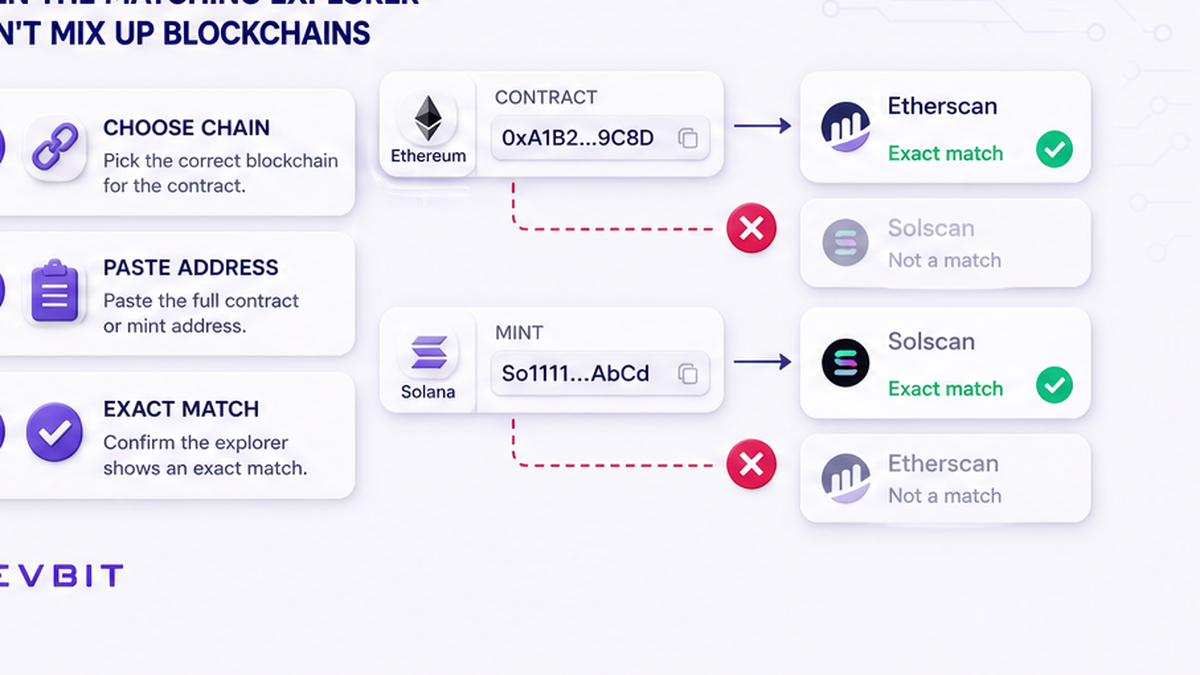
A block explorer is a public search tool for a blockchain, much like a parcel tracker. Open the explorer for the network you recorded and paste the address. An Ethereum address belongs in an Ethereum explorer; a Solana mint belongs in a Solana explorer. A wrong-network result verifies nothing about your intended asset.
On EVM networks, meaning chains that use Ethereum-style smart contracts, look for a token contract. On Solana, look for a mint. Ask one question: does this full identifier on this exact chain match the one published by the project?
Do: open the explorer directly and confirm its network before searching. Don’t: treat a result from a different chain as a substitute because the token name is identical.
Compare every character – don’t accept a near match
Place the official and explorer addresses side by side. Compare the complete strings, not only their ends. A scammer can create an address that looks familiar at a glance. One changed character means a different identifier, so stop instead of explaining it away.
Copy both values into a note and compare them exactly. Then check the same value in the swap interface. Name, symbol, decimals, and logo may support the result, but cannot overrule a mismatch.
Stop rule: Network mismatch, address mismatch, an unfamiliar domain, or no published official address means no swap. Close the order and restart the check from a source you trust.
Do: make a full-string match the required condition. Don’t: rely on visual similarity, a green icon, or a copied ticker.
Read explorer signals – don’t confuse verification with safety
After the identity matches, inspect warnings, source-code status, and recent transfers. A scam label is a reason to stop. No warning is not approval: Ethereum.org notes that Etherscan is not the authority deciding whether a token is legitimate.
“Contract source code verified” has a narrow meaning. Etherscan recompiles code submitted by a developer and matches it with the program deployed on-chain. The readable recipe matches the running machine code, but that does not prove the recipe or project is safe.
Solana Explorer combines results from independent verification providers. Solana’s documentation says verification is not an endorsement. On either chain, a badge shows code visibility, not trustworthy intent.
Activity adds context. Buys without visible sells can be a honeypot warning, meaning buyers may get in but not out. MetaMask says complete certainty may require a full code audit. A normal-looking transfer list still cannot replace the address check.
Do: use warnings, code visibility, and activity as additional filters. Don’t: proceed solely because the explorer displays a badge or many transactions.
Match the swap order – don’t approve unrelated access
Return to the swap widget and compare its receive asset, send asset, and network with your note. The token identifier in the order should match the official address. If the details cannot resolve a doubt, do not send funds.
Check wallet requests separately. Connecting alone does not move funds, but a signed transaction or token allowance can. An allowance lets a smart contract access a stated token and quantity, like permission for a merchant to charge a limited amount. Match the token, amount, and action.
Reject an unexpected token, amount, or contract. Never share a Secret Recovery Phrase or private key. They are the wallet’s master keys, and address verification never needs them.
Do: read the approval screen before signing and match it to the current swap. Don’t: sign extra permissions just to make an error message disappear.
Run the seven-step check – don’t skip the small test
Use this checklist immediately before sending. It creates a short evidence trail and gives every mismatch a clear outcome.
- Step 1: Record the intended token and exact network from the swap widget.
- Step 2: Open the project’s official site or documentation independently.
- Step 3: Copy the complete contract or mint address for that network.
- Step 4: Open the matching chain explorer and search the copied address.
- Step 5: Compare the complete official, explorer, and swap-order identifiers.
- Step 6: Review warnings, code status, activity, and any wallet approval request.
- Step 7: Save the order ID and TxID, send a small test, and wait for credit.
A TxID, or transaction identifier, is the receipt number for an on-chain transfer. Save it with the order ID and address before closing tabs. These records are more useful than a cropped balance screenshot.
Keep the test small while respecting the order minimum. Wait until the intended asset is credited on the intended network, then create the larger swap. Repeat the identity check whenever the asset, network, or address changes.
Once all three identifiers match, you can open the RevBit swap widget and create the test order. Stop if the order shows a different network or token than the one you verified.
Do: save the address, order ID, and TxID, then wait for the test result. Don’t: send the full amount first or send again while the first transfer is still unclear.
Frequently asked questions
How do I check a token contract address?
Copy the address from the project’s official source, open the explorer for the exact network, and compare the full string with the swap order. Stop if one character or the network differs.
Can two tokens have the same name and symbol?
Yes. ERC-20 contracts can reuse names and symbols, so a familiar ticker does not identify a token. Use the network plus the complete contract address as the required match.
What is a mint address on Solana?
A mint address identifies a Solana token. Copy it from the official project source, inspect it on the Solana explorer, and compare every character with the swap order.
Does verified source code mean a token is safe?
No. It means readable code was matched with deployed machine code. Keep checking the official address, warnings, activity, order details, and wallet request.
Is a token safe if the explorer shows no warning?
Not necessarily. A warning is useful when present, but no label is not an endorsement. Require the official address and network match, and stop when other signals conflict.
Should I make a test swap after checking the address?
Yes, when the order minimum allows it. Save the order ID and TxID, send a small amount, and wait for the correct token before committing more.