
You sent crypto for a swap, but the order amount and what left your wallet do not match. Short deposits, wallet network fees, and second “top-up” sends are common causes. Do not fire another transfer yet. Use this underpaid crypto swap refund checklist: compare the exact order amount to the on-chain TxID, map Fixed vs Floating outcomes under RevBit Terms 2.10, then contact official support with order ID and TxID – without inventing UI buttons or expecting a guaranteed refund.
Summary: If your deposit is short, excess, or split across several transfers, stop sending. Compare the order “You send” amount to what your wallet actually broadcast. Under RevBit Terms 2.10, a wrong or too-small Fixed deposit can settle at the current rate at receipt; several transactions to one address can lead to a refund minus fees. Gather order ID + TxID and contact support@revbit.net or on-site chat – do not assume full recovery.
An underpaid crypto swap means fewer coins arrived than the order asked for. That often happens when a wallet subtracts a network fee from the amount you typed. Overpayment is the opposite: more than required landed on the deposit address. Neither case is the same as picking the wrong network.
RevBit is a non-custodial instant exchange: you send from your wallet and receive to an address you control. The RevBit homepage states average exchange time is about 2 minutes when a normal order completes cleanly. This guide follows published Terms for messy amount mismatches – not competitor button labels.
Freeze further sends and compare order amount vs on-chain amount
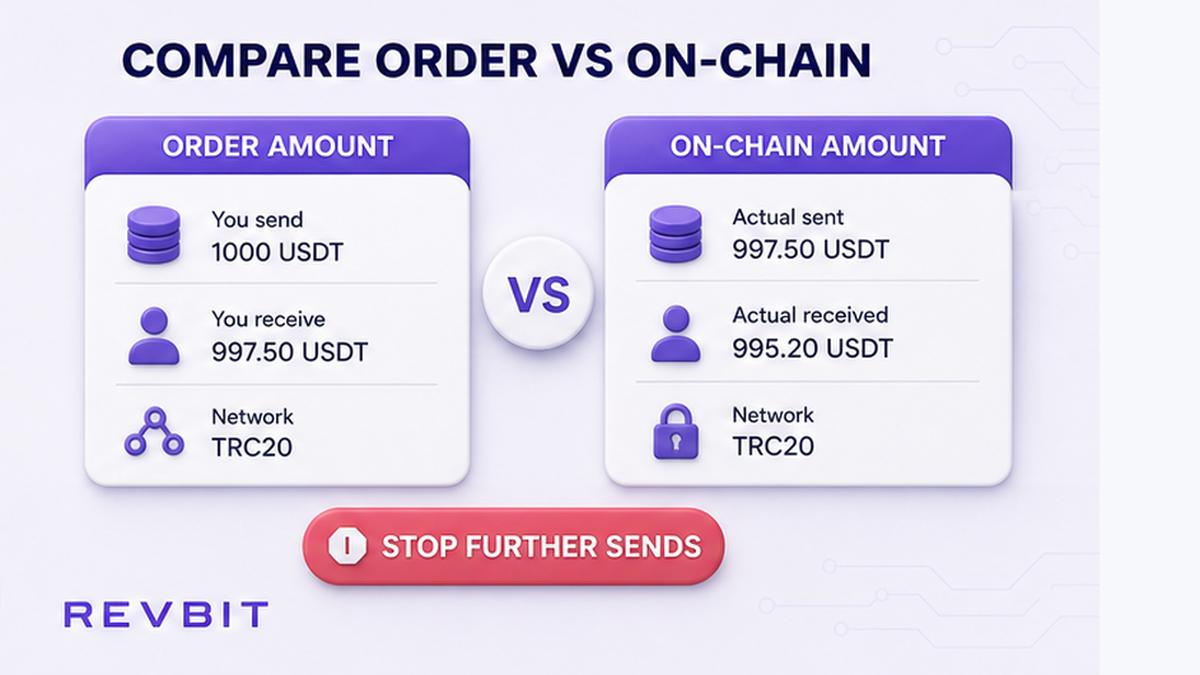
Do not “fix” a shortfall with a second deposit until official support tells you what to do. Blind top-ups create a multi-transaction trail on one disposable deposit address.
- Open the live order page and copy the exact You send amount, asset, and network.
- Open your sending wallet history and find the outgoing transfer for that order.
- Paste the TxID into a block explorer for that same network.
- Write down the amount the explorer shows at the deposit address – after any wallet/network fee already deducted.
- Mark the case: shortfall, exact match, excess, or more than one deposit TxID to the same address.
- Save screenshots of the order status and the explorer page before you change anything else.
Workflow: Order “You send” amount → Wallet broadcast amount → Explorer amount at deposit address → Short / exact / excess / multi-tx → Stop further sends → Collect order ID + TxID
Do: treat the explorer amount as ground truth for what arrived. Don’t: assume the number you typed in the wallet equals the order amount – withdrawal fees often create the shortfall.
Confirm Fixed vs Floating before you guess the outcome
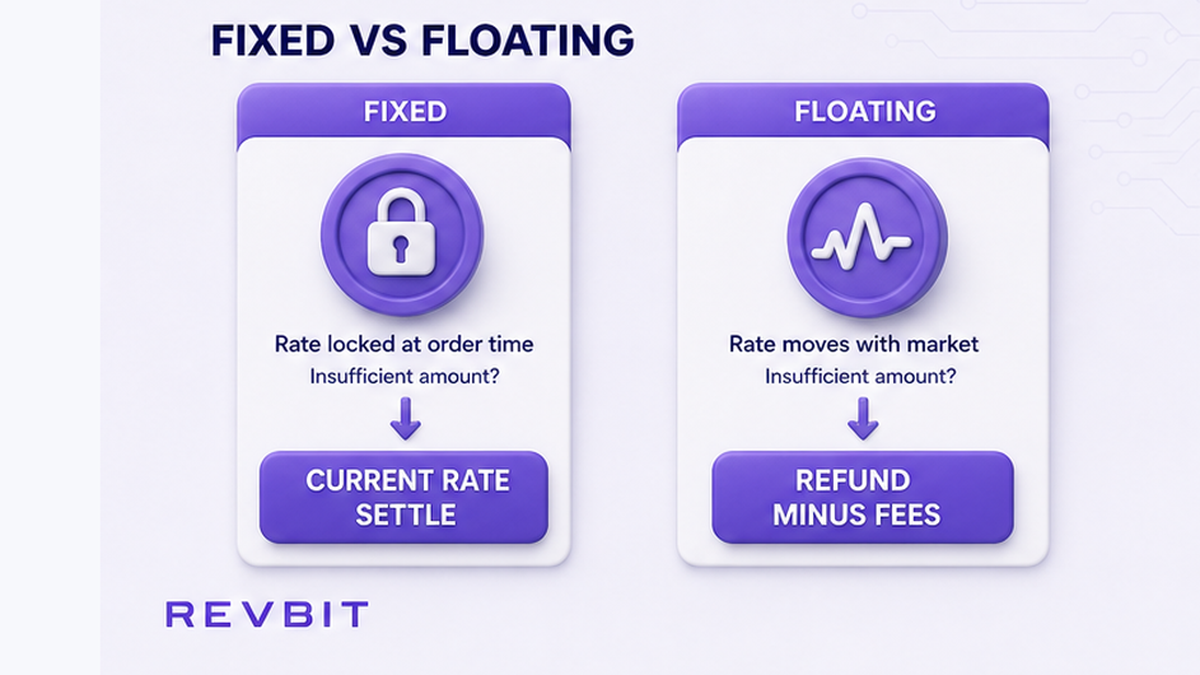
Fixed rate locks a quote for a window if you send the exact amount on time. On RevBit, Fixed carries a 1% + network service fee and a 12-minute quote lock (Terms 2.2.1). Floating rate is 0.5% + network; the final rate is not fixed until funds are received and the exchange completes (Terms 2.2.2).
| Situation | Fixed (Terms path) | What you should do |
|---|---|---|
| Sent a different or too-small amount | Can proceed at the current rate at receipt (Terms 2.10) | Document shortfall; contact support – do not assume the locked receive amount still applies |
| Several transactions to one application address | Refund minus applicable fees (Terms 2.10) | Stop top-ups; ask support how returns are handled |
| Sent more than 10 minutes after confirm on Fixed | Recalculation at the current exchange rate (Terms 2.10) | Note timestamps from order confirm vs broadcast time |
| Market moves more than 1.3% before Fixed deposit is detected | Offered refund or proceed at market rate (Terms 2.2.1) | Follow only options on your live order or support reply |
| Floating deposit short or odd | Final rate resolves when funds process; Floating recalc only downward (Terms 2.9) | Still verify amount and network; escalate with order ID if status stalls |
Reusing an old Fixed deposit address also breaks the Fixed guarantee (Terms 2.10). See the Fixed vs Floating rate crypto swap guide for rate modes side by side.
Do: check which mode your order used before you argue for a locked receive amount. Don’t: treat every underpayment as an automatic full refund – Terms 2.10 often points to current-rate settlement first.
How to follow live order controls – avoid inventing Action Required buttons
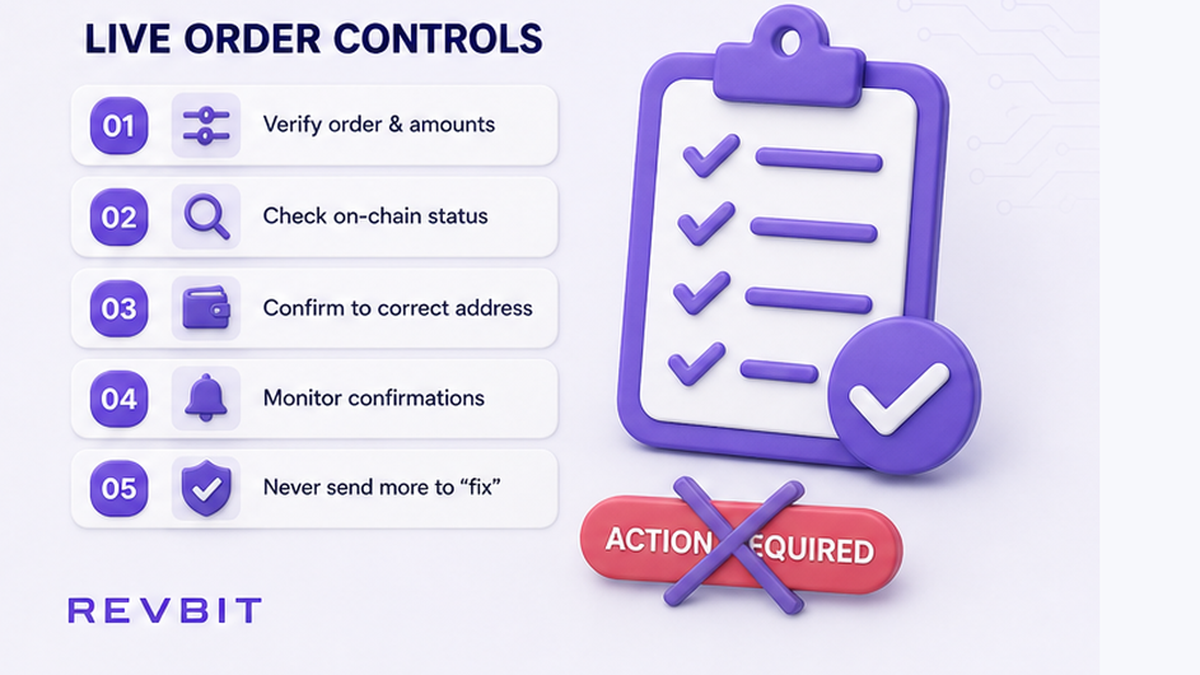
Some other exchangers show a choice panel for underpaid Fixed orders – for example refund to a pasted source-coin address or accept the live rate. That is an industry pattern, not a confirmed RevBit public UI label. A 2026-08-28 check of revbit.net pages and Terms did not show published buttons named “Action Required” or “Accept current rate.”
On RevBit, use whatever controls actually appear on your order page, plus Terms 2.10, plus official support. If the screen shows a decision control, use only that screen. If it does not, do not hunt for competitor button names.
Do: follow on-screen steps on the official order URL only. Don’t: trust Telegram, WhatsApp, Skype, or forum DMs that claim they can “unstuck” the swap for a fee.
How to collect evidence and contact official support (avoid a blind top-up)
When the UI does not finish the case, escalate with a complete pack. Claims on exchange applications must go within 7 business days to support@revbit.net with complete evidence (Terms 2.11). Payment disagreement after completion: contact support within 6 hours (Terms 2.13) – later applications are not accepted.
- Order ID from the official order page.
- Deposit address and asset/network you were told to use.
- Every TxID you sent toward that address.
- Amount required vs amount each TxID shows on the explorer.
- Fixed or Floating mode, plus timestamps.
- Short note of what you need clarified: status, current-rate settlement, or refund path.
Send that pack through on-site chat and/or email to support@revbit.net via RevBit support. Terms 2.10 also note that credits taking over 2 hours may add 0.5% of LP rate on return or exchange, and manual returns from partner exchanges may take up to 24 hours when applicable.
Do: ask support before any second deposit. Don’t: send a “makeup” transfer to the same address – Terms 2.10 maps several transactions to a refund-minus-fees path.
How to verify a refund TxID and avoid the next underpay
If support shares a refund transaction ID, verify it on a source-chain explorer: amount, network, and destination. Prefer a refund address you control. Refunds to a centralized exchange deposit may need a second recovery step with that exchange. Expect network fees to reduce what comes back.
Wrong network is a different failure than underpayment. Memo/tag mistakes follow Terms 2.12 separately (5% fee, minimum USD 20, only if amount > USD 30, review up to 14 days, refusal possible) – not the primary underpay path.
Once the current case is stable, prevent a repeat:
- Send one transaction for the exact order amount, accounting for wallet network fees.
- Use a fresh Fixed deposit address from the live order – never an old one.
- Broadcast Fixed sends inside the lock window.
- If you overpay, stop and contact support – do not assume surplus auto-swaps.
- Remember Terms 6.3: once details are set and assets leave scope, RevBit cannot cancel the exchange on request.
For a clean next swap, create a fresh order on the RevBit homepage swap widget and send only the exact amount shown. More how-tos on the RevBit blog, including how to swap crypto on an instant exchange and the stuck order status checklist.
Do: verify refund TxIDs on an explorer before you close the ticket. Don’t: treat any guide as a promise that funds will be returned in full.
Frequently asked questions
What if I sent slightly less than the order amount?
On Fixed, Terms 2.10 say the exchange can proceed at the current rate at receipt. Save order ID and TxID, compare amounts on an explorer, and contact support@revbit.net or on-site chat. Do not assume a full refund or the original locked receive amount.
Does overpayment get swapped or refunded?
Do not assume surplus auto-swaps into a bigger payout. Stop further sends, document the excess on the explorer, and contact official support with order ID and TxIDs. Follow RevBit Terms and support only.
Can I top up an underpaid Fixed order?
Do not send a second deposit blindly. Several transactions to one application address can trigger a refund minus applicable fees under Terms 2.10. Ask support first and only send again if they give a clear instruction.
Where is the Action Required or Accept current rate button on RevBit?
Those labels are an industry pattern on some other services. RevBit’s public path is Terms 2.10 outcomes plus support with order ID and TxID. Use only controls that actually appear on your official order page.
How long do I have to file a claim?
File claims on exchange applications within 7 business days to support@revbit.net with complete evidence (Terms 2.11). For a payment disagreement after completion, contact support within 6 hours (Terms 2.13).
Can I cancel after I already sent?
Terms 6.3 state RevBit cannot cancel exchanges once details are set and assets leave scope. Outcomes follow Terms and any AML review – not a one-click cancel. Stop extra sends and use official support.
Will I get 100% back if there is a refund?
Expect applicable fees and network costs to reduce the returned amount. Terms allow refusal in some recovery contexts (for example memo recovery under 2.12). Never plan on full recovery; verify any refund TxID on an explorer yourself.