

You want a cut of the swaps you send to RevBit, but the public pages disagree on percent and payout thresholds, and press posts skip the cabinet steps. Here is the join-and-track path: register a Personal Account, copy your referral link, let the referred user swap from their own wallet, then read balances in the cabinet. Treat “up to 25%” as the headline claim, note the 20% marketing block, and confirm the live payout threshold before you advertise withdrawals.
Summary: Create a Personal Account, copy your unique referral link from the cabinet, and share only that link. Referred users still swap from their own wallets (non-custodial). Prefer “up to 25%” of service income from referral exchanges, note the 20% marketing block on /affiliate, and reconcile the 10 USD vs 100 USD payout wording against the live Personal Account before you promise withdrawals.
RevBit is an instant crypto swap: send from your wallet, receive to an address you control. A normal swap does not need registration; the referral program does. Without an account you have no cabinet, no referral link, and no stats. Keep /docs/affiliate-program and /docs/registration open beside the live affiliate page.
How to read what you earn and what you do not control
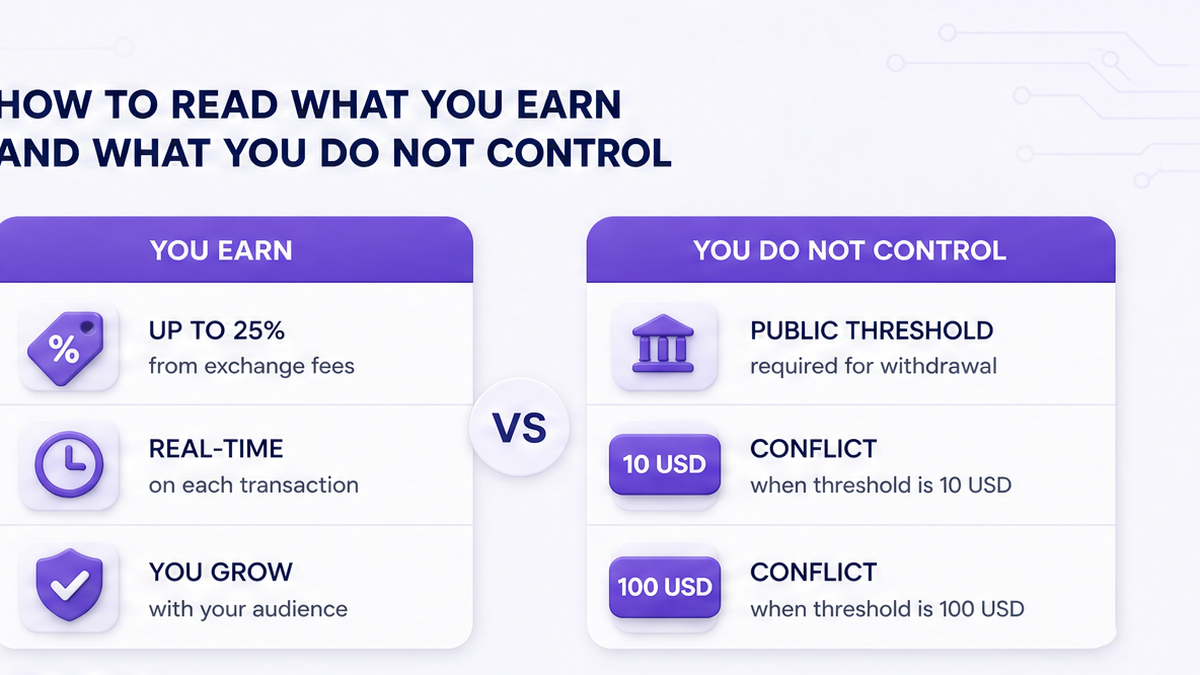
An affiliate (referral partner) earns a share of platform income from swaps done by people who used your referral. RevBit’s preferred public wording is up to 25% of that income. The same marketing page also has a 20% block. Prefer “up to 25%”, send readers to the live RevBit affiliate page, and do not invent a third percentage.
What you do not control: the referred user’s wallets, amount, network, or whether the swap finishes. The swap stays non-custodial – they send from their wallet and receive to their address. You do not hold their coins.
Do: describe the reward as a share of platform income, capped publicly as “up to 25%.” Don’t: claim you custody funds, execute swaps, or that every deal pays exactly 25%.
Workflow: Read live affiliate wording → Register Personal Account → Copy referral link → Share link → User swaps on RevBit → Track stats in cabinet → Confirm live payout threshold before advertising withdrawals
How to sign up and open the Personal Account cabinet
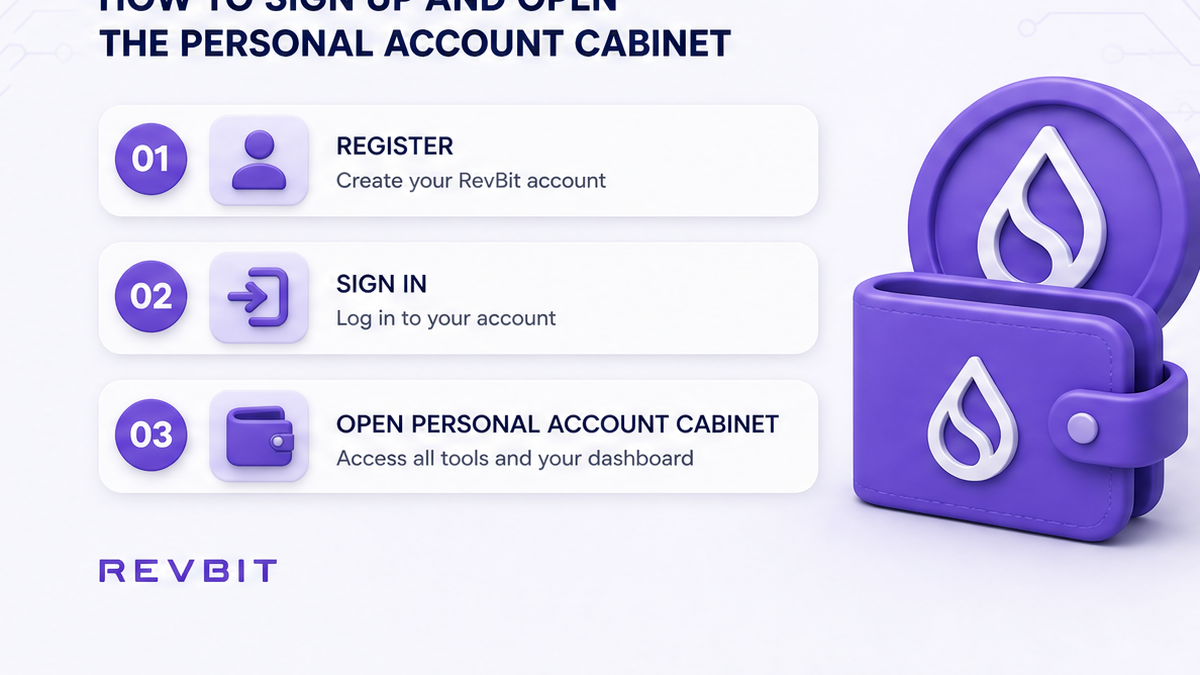
Registration is optional for a standard exchange. Per RevBit registration docs, a registered account unlocks cumulative discounts, the referral program, and exchange statistics. That is why affiliate starts with an account even if your audience already swaps without logging in.
- Open the official RevBit affiliate page and read live commission and payout wording (skip press-only screenshots).
- Create a Personal Account or sign in.
- Enter the personal cabinet where referral tools and bonus details appear after registration.
- Locate your unique referral link and any live bonus conditions (docs say details live in the cabinet).
- Save the link so you never paste an old non-referral URL.
- Skim Affiliate Program docs to separate marketing copy from cabinet truth.
Do: treat the cabinet as the source of truth after you register. Don’t: join via random Telegram “managers” or third-party forms that are not on RevBit.
How to find and share your referral link safely
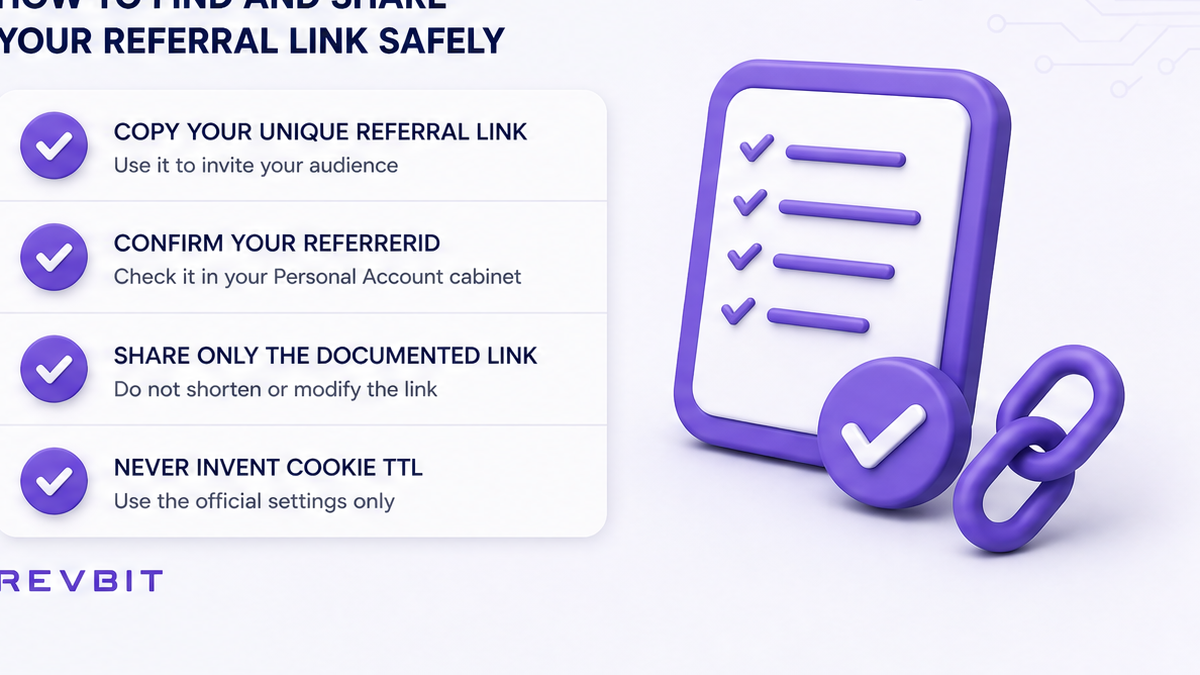
After signup, share the unique referral link from your cabinet. The referred person opens RevBit through that link and completes a normal swap on the homepage widget – pair and network, destination address, exact amount, then track the order.
If you embed RevBit via API or SDK (code that creates orders), the SDK create-order request includes a referrerId field. Public affiliate pages do not publish cookie lifetime windows. Do not invent “30-day” or “lifetime cookie” claims.
| Path | Who it is for | How attribution works (public docs) | What not to invent |
|---|---|---|---|
| Retail affiliate cabinet | Bloggers, communities, recommenders | Unique referral link from Personal Account | Cookie TTL, guaranteed 25% on every deal |
| SDK / API referrerId | Sites that create orders in code | Pass referrerId on CreateOrder | Cookie myths copied from other programs |
| API / SDK markup | B2B partners who add a fee on rates | Partner markup on rates – separate from retail % share | Calling markup the same as the affiliate cabinet |
Do: share only your cabinet referral link (or a documented referrerId integration). Don’t: promise cookie windows the public pages never state, and don’t mix affiliate share with API markup in one pitch.
How to track referrals and verify the payout-threshold conflict
Tracking lives inside the Personal Account. The marketing affiliate page says you can monitor referrals’ transactions there. After referred swaps complete, check activity and reward balance.
Handle this public conflict before any “withdraw now” post:
- The live affiliate marketing page (and March 2025 press) uses a 10 USD rewards framing.
- Affiliate Program docs say bonus payments start at 100 USD on your account.
Both are public – do not silently pick one. Tell readers to check live Personal Account payout rules after login. If the cabinet and a blog post disagree, the cabinet wins.
Tech help: support@revbit.net. Partnership: marketing@revbit.net (legal docs). Official Telegram and X exist, but never trust a stranger who DMs first claiming to be “RevBit affiliate support.”
Do: cite both 10 USD and 100 USD wordings, then verify the live cabinet before promising a withdrawal. Don’t: guarantee a schedule from a screenshot of either page alone.
Avoid these promises in your affiliate ads
Keep ads aligned with what RevBit publishes.
- Say “up to 25% of the service’s income from referral exchanges,” not “guaranteed 25% on every swap.”
- Note the affiliate page also shows a 20% marketing block.
- Never promise fixed rates – Fixed vs Floating are widget choices (Fixed locks a quote for a stated window; Floating can move until funds arrive).
- Never promise “KYC-free forever.” AML checks and region rules can still apply; EU/EEA and other restricted regions cannot use the service.
- Never invent a cookie window unless a live official page states it (public affiliate pages do not).
- Send readers to the RevBit homepage swap widget – you still do not custody their funds.
Do: link official pages and let the cabinet show live conditions. Don’t: sell “passive income forever” or invent homepage stats.
Checklist before you publish an affiliate promo:
Unique cabinet link ready → Wording matches “up to 25%” (note the 20% block if needed) → Payout threshold checked in live Personal Account → No KYC-free / fixed-rate / guaranteed-25% claims → Contact is marketing@revbit.net or support@revbit.net, not a random DM
Checklist: run one clean test loop before you scale
Do this once before you push traffic hard:
- Register and open the Personal Account.
- Copy the referral link from the cabinet.
- Open the link in a private browser window and confirm it lands on RevBit.
- Have a trusted contact complete a small swap (they still use their own wallet).
- Refresh the Personal Account and confirm the referral activity appears.
- Only then share the link more widely – with honest commission and payout wording.
If you need partner rate markup instead of a retail referral share, use the API/SDK path (markup + referrerId), not the affiliate cabinet. Email marketing@revbit.net for partnership questions. For a real referred swap, use the homepage widget and keep the Personal Account open to verify tracking after the order completes.
Frequently asked questions
What percent does the RevBit affiliate program pay?
Prefer up to 25% of the service’s income from referral exchanges. The marketing page also shows a 20% block – mention that conflict; do not invent another percentage. Confirm the live share in your Personal Account after registration.
When can I withdraw affiliate rewards?
Check the live Personal Account. Public pages disagree: the affiliate marketing page (and related press) use a 10 USD framing, while Affiliate Program docs say bonus payments start at 100 USD. State both, then trust the cabinet before you promise a withdrawal.
Do I need an account, and do referrals need one too?
You need a registered Personal Account for the referral program and stats. A standard swap can work without registration. Referred users can swap without creating an account; your tracking still depends on your account and referral link.
How is affiliate different from API markup?
Affiliate = retail referral share via the Personal Account link. API/SDK markup = a partner fee on integrated rates, with optional referrerId when creating an order. Different paths. For markup integration, use the API/SDK docs and contact marketing@revbit.net.
Where do I track referral exchanges?
Inside the Personal Account / personal cabinet. Open it after login, find referral activity and balances, and re-check after each test swap before you scale traffic.
Who do I email for affiliate or technical help?
Partnership: marketing@revbit.net. Technical support: support@revbit.net. Do not send seed phrases or private keys to anyone. Ignore strangers who message you first claiming to be RevBit staff.