
Before you create a crypto swap, verify the website domain as carefully as you verify the asset, network, and amount. A lookalike crypto swap website can copy the colors, wording, and layout of a real service while changing only a few characters in the address.
Summary: Start from a trusted bookmark or type the known hostname yourself, then compare the complete hostname character by character. HTTPS, a padlock, search ranking, and domain age cannot prove that a swap page is official. If the host differs or anything feels inconsistent, stop and do not send crypto.
This fake exchanger domain checklist is designed for the few minutes before you create an order. It focuses on the decision that matters most: whether the page displaying a deposit address is the real service or a page controlled by someone else.
Domain checks reduce phishing risk, but they cannot guarantee that an exchange is safe. You still need to review the asset, network, order details, and destination before sending funds. For broader warning signs, see this guide to fake crypto exchange support scams.
How to open the swap from a trusted starting point
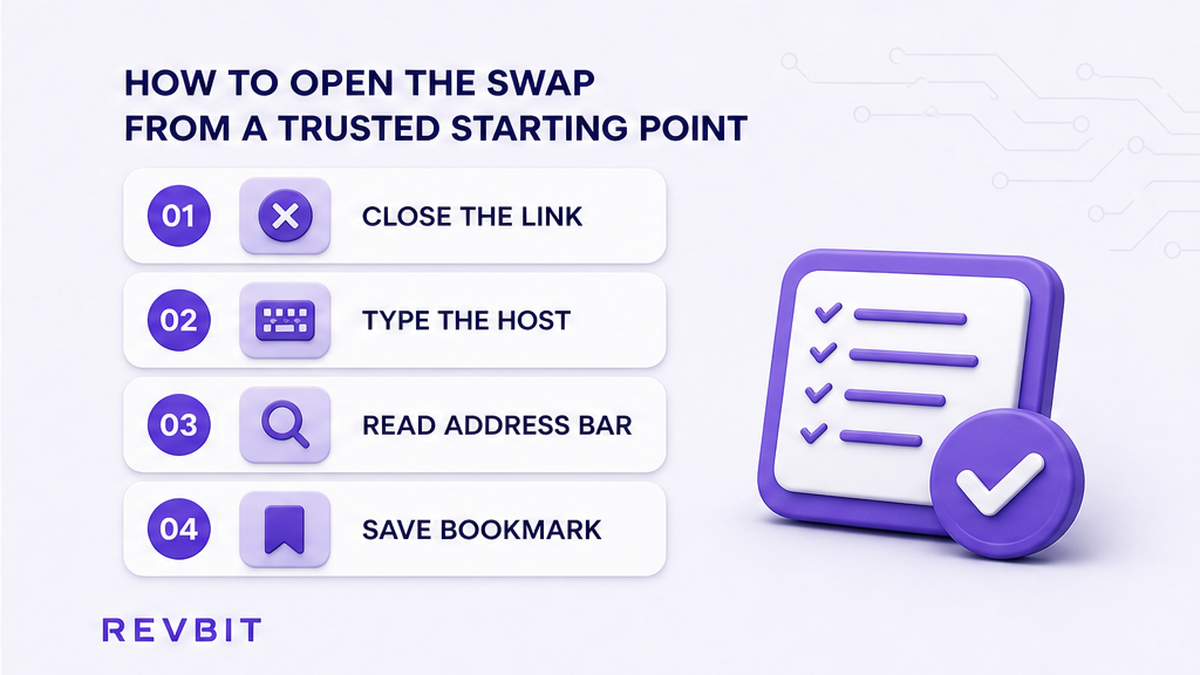
The safest first step is to avoid letting an unsolicited link choose the website for you. Type the known hostname into the browser address bar, or open a bookmark that you saved after checking it. A bookmark is useful because it removes many opportunities for a search ad, message, or shortened link to redirect you to a copy.
Do not begin with a search ad, email, Telegram message, direct message, or pop-up. Search results can contain paid placements, and a familiar logo or account name in a chat does not prove that the link leads to the official domain. Even if the page looks perfect, treat the link as untrusted until you compare its host with your saved or manually entered destination.
- Close any page opened from an unsolicited message or advertisement.
- Open a new browser tab and type the known service hostname yourself, without adding words from memory.
- Check the address bar before interacting with the page or connecting a wallet.
- Save the correctly checked page as a bookmark if you use the service regularly.
- Use that bookmark for future swaps instead of searching for the service again.
- If the bookmark opens an unexpected host, stop and investigate rather than accepting the redirect.
Do: keep the official address in a password manager or a browser bookmark, and verify the bookmark when you first save it.
Don’t: assume that the first result, a sponsored result, or a message from an account using the right logo is safe.
How to compare the complete hostname
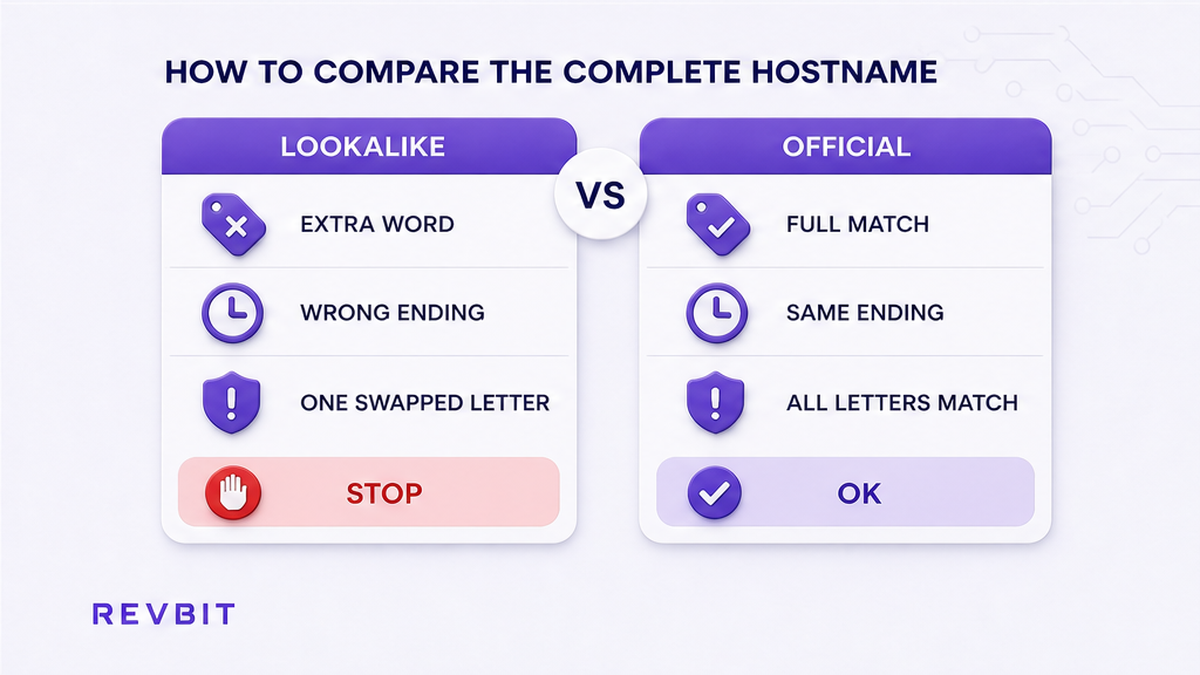
Read the full hostname from left to right. The protocol is the beginning, such as https://. The hostname then contains any subdomain, the registered domain, and the top-level domain, or TLD, such as .net, .com, or another ending. These parts have different meanings, so do not look only for a familiar brand word somewhere in the address.
For example, a real host may use a registered domain such as revbit.net. A suspicious address could place extra words before or after the brand, use a different TLD, or put the brand in a longer registered domain. A subdomain can also be misleading. Text before the registered domain does not automatically identify the owner. Compare the complete host, not just the first readable word.
Look for small changes that are easy to miss:
- Substituted letters: a letter can be replaced with a visually similar character.
- Homograph characters: a character from another alphabet may resemble a Latin letter. This is a homograph attack, meaning an address is designed to look familiar while being different.
- Extra words: terms such as “secure”, “app”, “support”, or “exchange” may be inserted into a lookalike host.
- Wrong TLD: the brand may appear with a different ending from the one you know.
- Plural or spelling changes: one added letter, removed letter, or changed order can create a separate domain.
- Unexpected subdomain: a familiar brand may appear only as text before another registered domain.
Copying an address into a note can help you compare it visually, but do not copy a suspicious deposit address from the page. The important comparison is between the host in the address bar and the known official host you typed or bookmarked.
Do: compare every character, including punctuation, the registered domain, subdomain, and TLD.
Don’t: trust a page because its logo, colors, wording, or first visible brand name matches the service you intended to use.
How to interpret HTTPS and the padlock
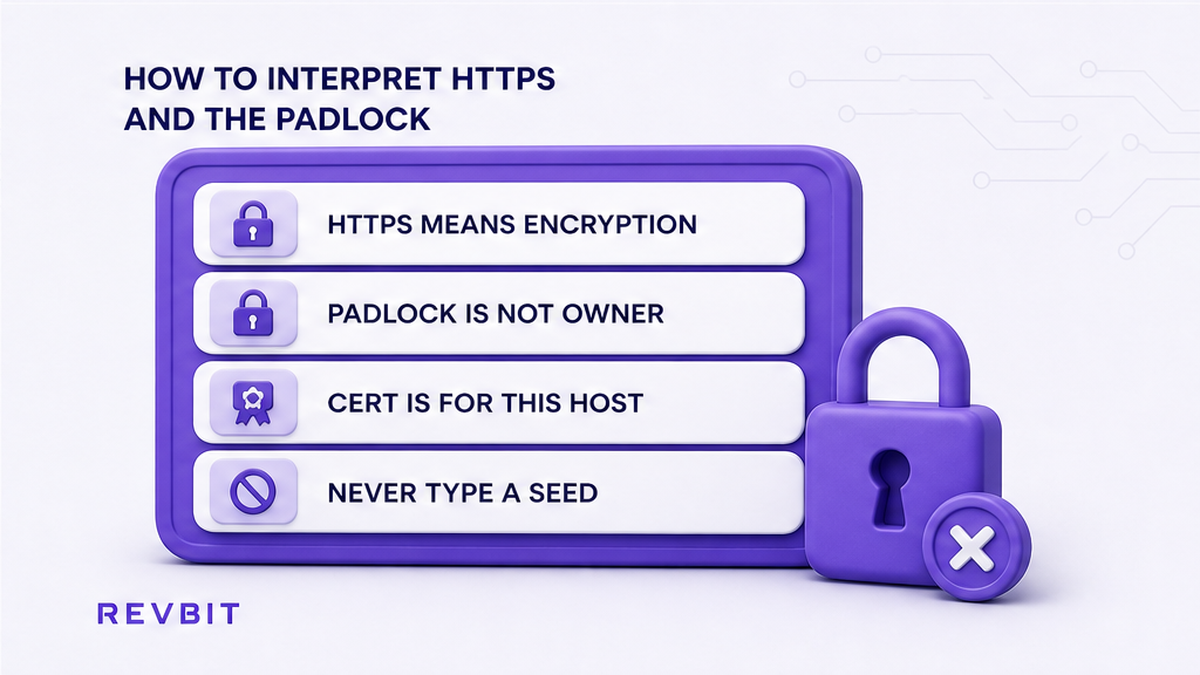
HTTPS protects the connection between your browser and the website from some forms of interception. The padlock normally indicates that the connection uses a valid certificate for the host shown in the address bar. That is useful for transport security, but it does not establish who owns the website.
A scammer can obtain a certificate for a deceptive domain. As a result, a fake exchanger can display HTTPS and a padlock while still being an unauthorised copy. The certificate can confirm that the browser is connected securely to that particular host, not that the host belongs to the exchange you intended to visit.
Use HTTPS as one basic condition for entering information, never as the final approval. First compare the hostname. Then consider whether the page was opened from a trusted source, whether the wording and flow are consistent, and whether the order details make sense. A secure connection to the wrong website is still the wrong website.
Do not enter a seed phrase, private key, or wallet recovery words into a swap page. A legitimate swap workflow should not require those secrets. Be especially cautious if a page asks you to install an unfamiliar extension, sign an unrelated transaction, or send funds to an address before you have confirmed the host.
Do: check HTTPS and the padlock as encryption indicators after confirming the exact host.
Don’t: treat the padlock, “secure” label, or certificate message as proof of official ownership.
How to use domain age as a consistency check
Domain age can help you test a claim, but it cannot approve a website by itself. If a page says the service has operated for many years while available registration information suggests a recently created domain, that contradiction is a strong reason to stop and investigate. It may indicate a copied claim, a newly created lookalike, or a change that needs explanation.
Registration records can be private, incomplete, delayed, or affected by changes in ownership and infrastructure. A new domain is not automatically fraudulent, and an old domain is not automatically honest. Attackers may use compromised or abandoned domains, while a legitimate company may use a newer domain for a product or regional service.
Use age only as one mismatch signal alongside the exact hostname and the source of the link. Do not rely on a WHOIS date, an age checker, reviews, a “verified” badge, or search position as a standalone pass. The question is not “Is this domain old?” but “Does the domain history make sense with the claim being made, and does the host exactly match the trusted address?”
| Signal | What it can tell you | What it cannot prove |
|---|---|---|
| Recent registration | It may conflict with a claim of long operation. | It does not prove the site is fraudulent. |
| Older registration | The domain has existed for some time. | It does not prove the current page or operator is safe. |
| Private registration | Public ownership details are limited. | It does not prove a scam or official ownership. |
| HTTPS certificate | The connection to the shown host is encrypted. | It does not prove the host belongs to the intended exchange. |
Do: use domain age to challenge a contradictory “established for years” statement.
Don’t: approve a swap only because an age checker or registration record looks reassuring.
How to create an order only after the host passes
Once the hostname matches your trusted address, create the order on that page and review the details before sending anything. Check the asset you are sending, the asset you expect to receive, the network on both sides, the amount, and any memo or destination tag requirement. Network names can look similar while remaining incompatible, so match the receiving wallet’s required network exactly.
Copy the deposit address only from the confirmed, bookmarked host. Avoid copying an address from a screenshot, a search result, a chat message, or a page you have not independently verified. After copying, compare the first and last characters with the address shown in the order and confirm that your wallet is set to the intended network.
For example, RevBit’s network-selection guide says that USDT’s default receive network is TRC20 and instructs users to select ERC20 explicitly when the receiving wallet uses an ERC-20 wallet. This is why a domain check should be followed by an order-detail check. A genuine page can still show an order that is wrong for your wallet if you select the wrong network.
If you want to proceed through the verified RevBit site, open the RevBit homepage from your trusted bookmark and review the quote there. RevBit describes its service as a non-custodial instant crypto exchange, but no domain checklist can remove the need to verify your own transaction details.
- Confirm that the address bar still shows the exact trusted hostname.
- Select the sending and receiving assets carefully.
- Check both network names and any memo or destination-tag instruction.
- Review the order amount and the receiving address in your own wallet.
- Copy the deposit address only from the confirmed order on the trusted host.
- Compare the copied address and network before approving the transaction.
Do: pause between creating the order and sending funds so you can recheck the host and network.
Don’t: rush because a page displays a countdown, a limited quote, or a warning that you must send immediately.
How to stop when the host differs
A mismatch is enough to stop. You do not need to prove that the page is malicious before protecting your funds. Close the tab, do not connect a wallet, do not sign a transaction, and do not send crypto to an address shown there. If you already entered a wallet address or other non-secret information, reopen the service from your trusted bookmark and assess the situation there.
Contact support only through the confirmed official site or a contact route you obtained independently. Do not use a phone number, email address, Telegram account, or support button supplied by the lookalike page. A scam page may direct you to a second fake support channel that asks for a fee, recovery phrase, remote-access tool, or urgent transfer.
If the page claims that your funds are locked and asks for an additional payment, stop. Do not share your seed phrase or private key with anyone claiming to recover a swap. Keep screenshots of the suspicious URL and messages for your own records, but do not repost a suspicious deposit address as if it were official.
For a second check, you can compare the official social links listed in the service’s own guide. RevBit’s guide identifies its Telegram as t.me/revbit and its X profile as x.com/revbit_net. Treat social profiles as navigation aids, not as a replacement for comparing the hostname. If you need general swap guidance after confirming the domain, use this step-by-step crypto swap guide.
Do: stop immediately, preserve the evidence, and contact support from the trusted site.
Don’t: send a “test amount”, pay a release fee, connect a wallet, or continue a conversation started by the suspicious page.
What to check before the final send
Use this short decision rule every time: known entry point, exact hostname, sensible order, correct network, then send. If any part fails, the correct action is to pause. Convenience is not a reason to skip the host comparison, especially when a transaction cannot normally be reversed after confirmation.
- Did you type the host yourself or open a bookmark you previously checked?
- Does every hostname character match, including the TLD and any subdomain?
- Are there no substituted letters, extra words, or unusual redirects?
- Are you treating HTTPS as encryption rather than ownership proof?
- Does any domain-age information make sense with the site’s claims?
- Did you create the order only on the confirmed host?
- Are the asset, network, amount, address, and memo correct?
- Can you explain why you are sending to this address without relying on a chat message?
If all answers are clear, you have completed a practical pre-swap domain check. If one answer is uncertain, do not guess. Return to the known hostname and investigate before sending. You can also read the guide on verifying a token contract before a crypto swap, since a correct domain does not make an unfamiliar token or contract safe.
Remember that a lookalike site may be professionally designed, use fluent copy, show HTTPS, and appear near the top of search results. The strongest habit is therefore simple and repeatable: begin from a trusted address, compare the full hostname, and stop when the page does not match.
Frequently asked questions
Is HTTPS enough to trust a swap site?
No. HTTPS encrypts the connection to the hostname in your address bar, but it does not prove that the hostname belongs to the official exchange. Confirm the complete host first, including the registered domain and TLD.
How do I spot a lookalike exchanger domain?
Compare every character with a trusted hostname. Look for substituted or homograph letters, extra words, changed spelling, unexpected subdomains, and a different TLD. A familiar brand word inside a longer domain is not enough.
What is a homograph fake exchange URL?
It is a deceptive address that uses characters which resemble letters in the expected hostname. The address may look correct at a glance while leading to a different domain. Type the known hostname yourself or use a checked bookmark.
What if I already opened a swap from an ad or Telegram link?
Close the page and do not copy an address, connect a wallet, sign a transaction, or send funds from it. Reopen the service by typing the known hostname or using a trusted bookmark, then compare the address bar before doing anything else.
Does a new domain always mean the exchanger is fake?
No. Domain age is only a consistency check. A new domain can conflict with a claim of many years in business, but age alone cannot prove fraud or legitimacy. Combine it with the exact hostname, the link source, and the order details.
Where should I contact support if the host looks wrong?
Use the support route found on the trusted, bookmarked official site, not a button or contact address shown on the suspicious page. Never share a seed phrase or private key, and do not pay an unexpected recovery or release fee.
Disclaimer: The material in this article is not financial or investment advice. Everything stated here reflects the author's personal view and should not be treated as a recommendation to trade or invest. We make no warranties regarding the accuracy, reliability or completeness of the information presented. Cryptocurrency markets are highly volatile and can move unpredictably. Before committing any funds, every investor, trader or crypto user should study several independent sources and check the regulations that apply in their own jurisdiction.