
Wrong network on USDT, or a fixed rate that expires while Monero still confirms, is how operators lose time and money. If you are exchanging XMR to USDT on an instant swap, treat it as a checklist: eligibility first, receive network before any paste, then rate mode matched to Monero timing. This guide walks that order so you finish one clean order instead of a recovery ticket.
Summary: RevBit is a non-custodial instant swap. Open XMR to USDT (TRC20), lock the receive network before you copy an address, prefer floating if Monero may miss a 12-minute fixed lock, send the exact XMR amount once, and budget ~10 confirms (~20 min)—not a marketing “~2 min average.” AML screening still applies.
Monero (XMR) is a privacy-focused coin: block time is about two minutes, but wallets often wait for more confirmations before unlock. USDT is a dollar-pegged stablecoin on several networks; TRC20 and ERC20 addresses are not interchangeable. An instant exchanger matches send and receive for one order. Registration is not required for a basic swap, but territorial and AML rules still apply. Below is the operator path on RevBit, with TRC20 as the default receive network.
Confirm eligibility before you start the swap
Before you touch amounts, confirm you may use the service. RevBit does not onboard EU/EEA users; the widget asks you to confirm non-EU/EEA status. Circumventing territorial limits is prohibited under the AML policy. If you are in a restricted region, stop. Tick the eligibility checkbox only when it is true; a blocked order later costs more time than skipping a swap you cannot finish cleanly.
Pick the USDT network first when you convert XMR to USDT
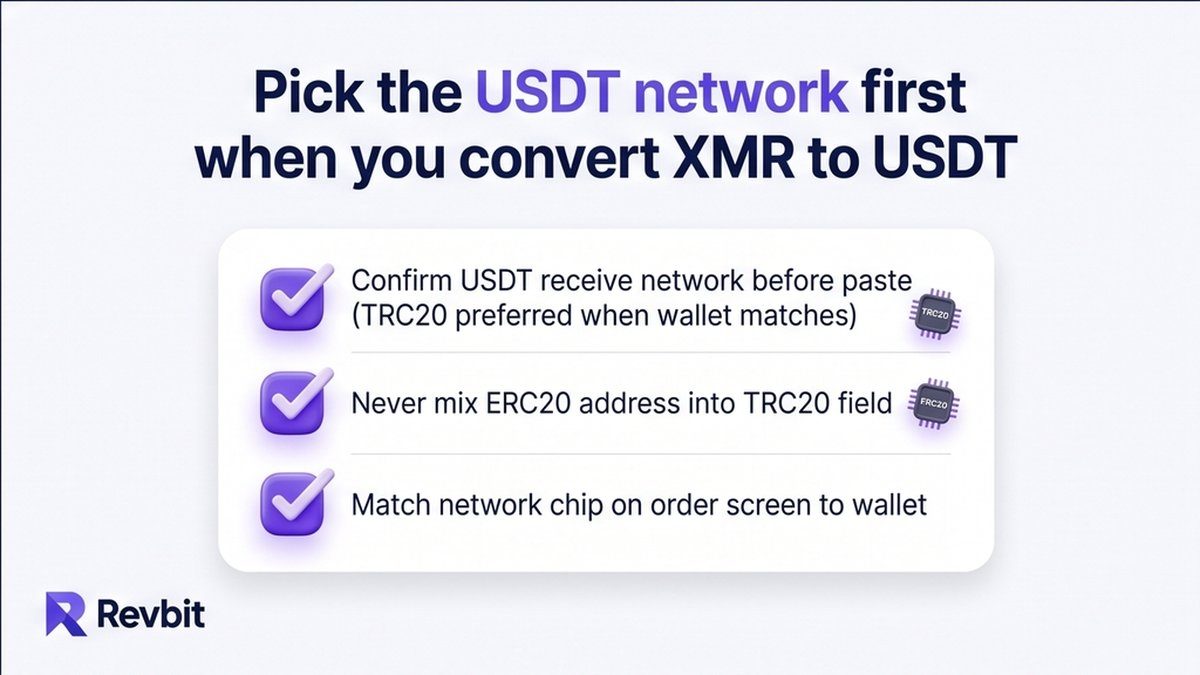
When you convert XMR to USDT, the receive network is the first decision after the pair. On RevBit top landings, default USDT receive is TRC20 (Tron). ERC20 (Ethereum) is a different chain with different fees and addresses. Mixing them is a common irreversible loss.
Open the flagship pair at revbit.net/exchange-xmr-usdttrc20 (no amount in the URL). Set send to XMR and receive to USDT on the network your wallet supports. In that wallet, switch to the same network, copy the receive address, and paste only after both sides match. Re-read TRC20 vs ERC20 on the order screen and in the wallet every time; do not reuse an old address without checking the network label.
How to swap XMR to USDT step by step
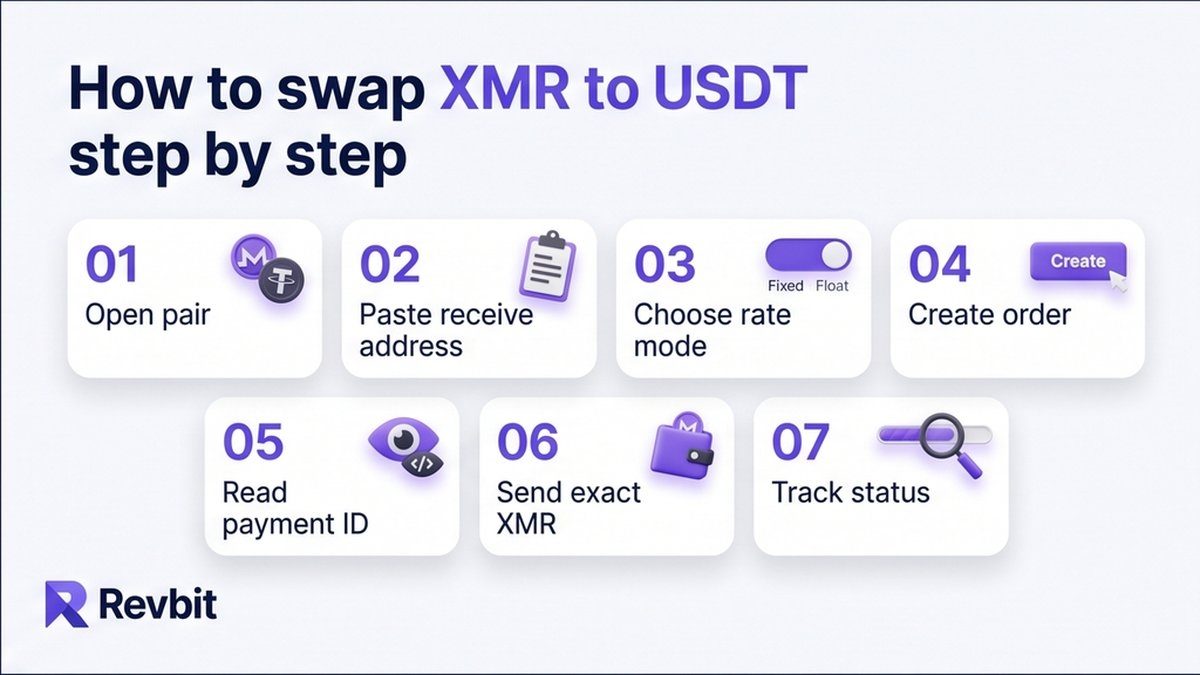
Use this sequence to swap XMR to USDT without reusing old deposit data or guessing amounts.
- Open the XMR to USDT TRC20 pair and confirm send = XMR, receive = USDT on your chosen network.
- Paste the USDT receive address from your wallet for that exact network only.
- Choose floating or fixed rate (see the next section if Monero may confirm slowly).
- Create the order and copy the one-time XMR deposit address shown for this order.
- Read any payment ID or integrated-address instruction on the order screen; follow only what the UI asks.
- From your Monero wallet, send the exact order amount in one transfer; do not reuse a previous deposit address.
- Track the order status until XMR confirms and USDT is sent to your receive address.
Long standalone Payment IDs were removed in Monero release 0.15. Modern wallets use integrated addresses or subaddresses. If the order UI does not ask for a payment ID, do not invent one. Wrong amount, multiple deposits, or a reused deposit address can trigger refund or recalculation under the Terms of Use. Send once, exact, to this order’s address.
Choose fixed or floating when you exchange XMR to USDT
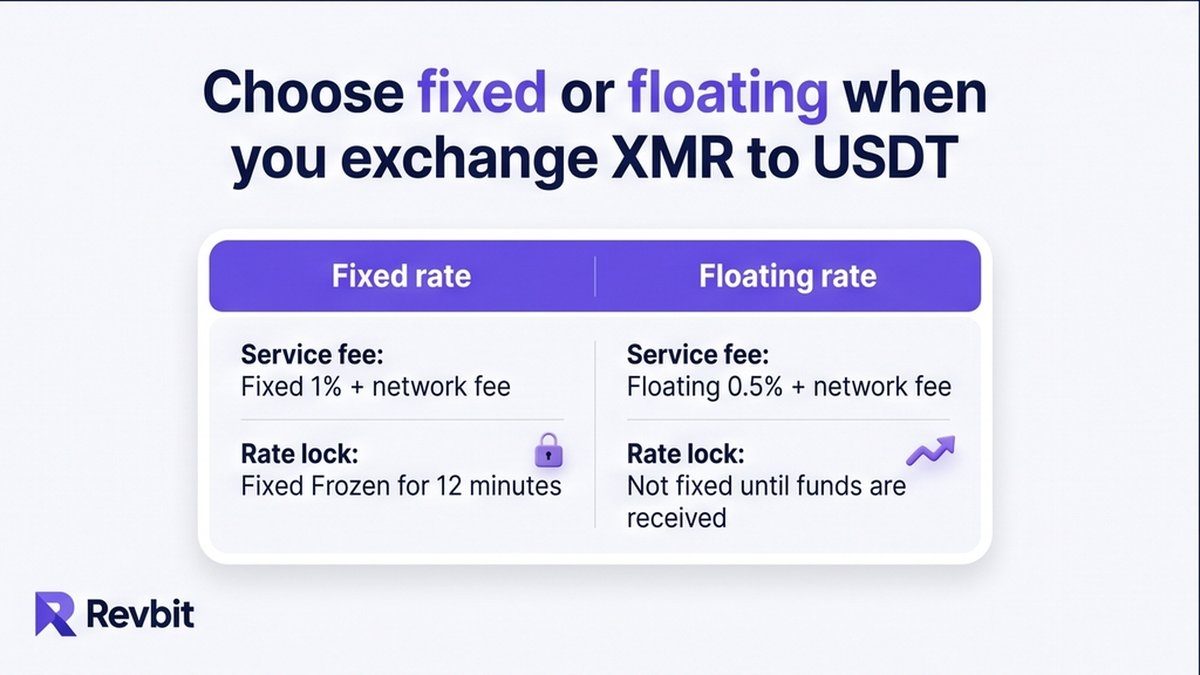
Rate mode matters more on Monero than on a fast major, because confirmation lag can eat a fixed lock window.
| Criteria | Fixed rate | Floating rate |
|---|---|---|
| Service fee | 1% + network fee | 0.5% + network fee |
| Rate lock | Frozen for 12 minutes | Not fixed until funds are received |
| Market move rule | Move >1.3% before tx detect: refund or market | Recalculated only downward |
| Fits Monero when | You can send and get detection inside the lock | Confirmations may run past 12 minutes |
Fees and timers above are from Terms (fixed 1% + network, 12-minute freeze, >1.3% void path; floating 0.5% + network, downward-only). Pair-page marketing lines are weaker than Terms. Prefer floating when you exchange XMR to USDT if detection may miss twelve minutes. Prefer fixed only when you can broadcast right after creating the order.
If a credit takes more than two hours, Terms add an extra 0.5% on return or exchange paths. Late fixed sends (more than ten minutes after you confirm the order) can be recalculated at the current rate. Plan the send before you click create, not after.
Plan confirmations: “~2 minutes” is not a Monero SLA
Monero targets roughly a two-minute block time. That is not the same as “your swap finishes in two minutes.” Many wallets wait for about ten confirmations before unlock, often around twenty minutes. Exact policy depends on the wallet and the exchanger.
The home claim of “~2 min average” is a platform marketing figure, not a Monero completion guarantee for an end-to-end XMR to USDT transfer. Budget confirmations plus payout after the deposit is seen. Create the order only when you can send XMR and watch status; on fixed rate, broadcast promptly so detection stays inside the lock window.
Expect AML screening on Monero to USDT routes
Privacy of Monero does not remove AML on the swap. RevBit screens with TRM Ecosystem, Elliptic, and AMLbot. A freeze can apply when risk exceeds 40% or when high-risk labels appear (mixer, sanctions-related flags, and similar). This is policy, not optional packaging.
Ask for a free address pre-check in live chat before you fund if you want a yes/no outcome; you do not get a detailed AML report. If funds are held after a positive review path, follow official refund or resume options; do not reframe the product as anonymous cash-out. Failed AML means no exchange and no refund. Read the AML page once before a first large XMR send.
Wrong-network or memo recovery, when attempted at all, is limited under Terms: a 5% fee with a $20 minimum, only if the amount is above $30, with up to 14 days of review and possible refusal. The reliable fix remains matching the network before you copy any USDT address.
When XMR to BTC fits better than USDT
Search interest for XMR to BTC is high, but it answers a different need. Choose monero to USDT when you want a stable dollar balance on a specific network. Choose XMR to BTC when you want bitcoin next, not a stablecoin. Do not add an extra hop “just because”; if USDT is the goal, finish one XMR to USDT order on the correct network.
What to do next
Recheck eligibility, open the TRC20 flagship pair, match the USDT network in your wallet, pick floating unless you can hit a fixed lock, then send the exact XMR amount once. Keep the order page open until the receive side lands. Soft next step: open the swap widget and confirm the network before you send.
Frequently asked questions
Does exchanging Monero skip AML screening?
No. Open the AML policy, assume screening still runs on XMR routes, and use live-chat pre-check if you want a free yes/no on an address before you send. Risk above 40% or listed high-risk labels can freeze the order.
Which USDT network should I pick, TRC20 or ERC20?
Pick the network your receiving wallet already uses. On RevBit flagship landings the default is TRC20. Switch the wallet to that same network, copy the address there, then paste into the order. Never mix TRC20 and ERC20 addresses.
How long do Monero confirmations or unlock take?
Blocks average about two minutes. Many wallets wait near ten confirmations (~20 minutes) before unlock. Check your wallet’s confirmation count and the order status rather than assuming a two-minute finish.
Is the site’s “~2 minutes average” a Monero guarantee?
No. Treat “~2 min average” as a site marketing claim. For Monero, plan for block time plus multiple confirmations, then order payout after the deposit is detected.
Should I use fixed or floating rate when sending XMR?
Use floating (0.5% + network, downward-only) if detection may miss a 12-minute fixed lock. Use fixed (1% + network) only when you can send immediately after creating the order.
Do I still need a Payment ID?
Long Payment IDs were removed in Monero 0.15. Follow only what the order UI shows (integrated address or no extra field). Do not add a legacy payment ID unless the order explicitly requires that format.
What if I paste a USDT address on the wrong network?
Stop and do not send a second transaction hoping to fix it. Wrong-network and memo recovery is limited, fee-bearing, and may be refused under Terms. Open support with the order ID; prevention (network match before copy) is the real fix.