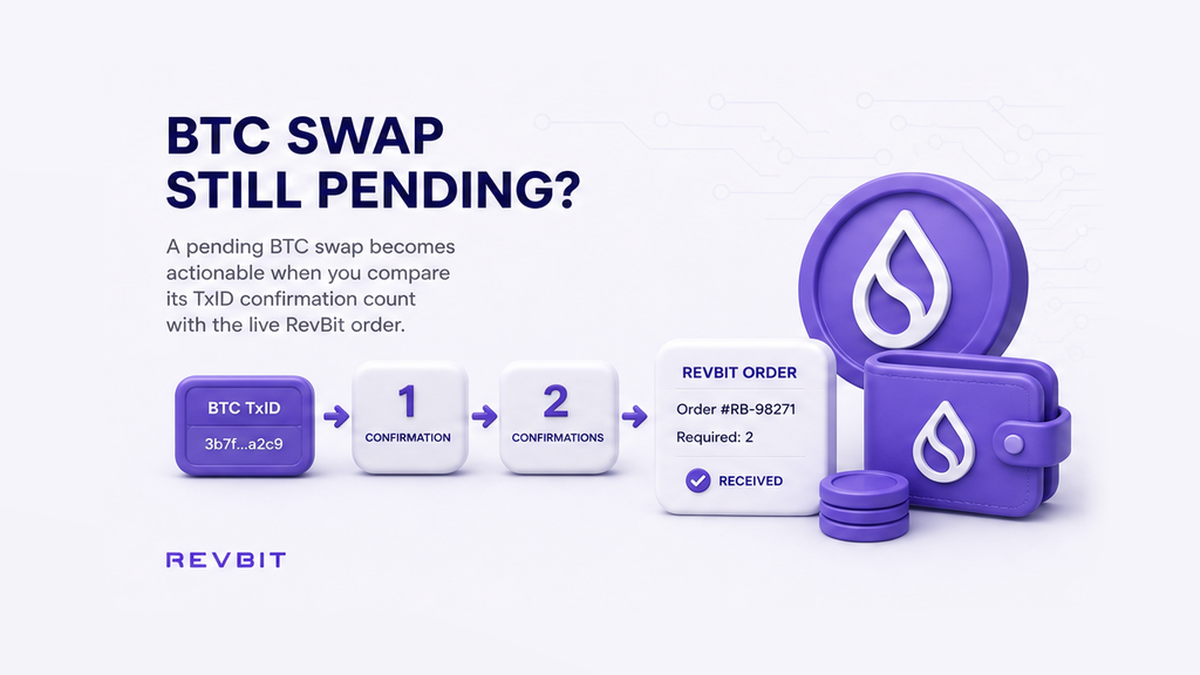

A BTC swap can look stuck even when nothing is wrong: the transaction may still be waiting for its first block, or the order may need another confirmation before processing. Check the current order, copy the deposit TxID, and compare the explorer count with the order’s requirement. You will know whether to wait, consider a safe fee bump, or contact support without risking a duplicate Bitcoin payment.
Summary: Use the confirmation requirement shown on the current swap order, because exchanges do not all use the same number. Find the BTC deposit TxID, check it on a Bitcoin block explorer, and compare the live count with the order. If the required count is reached but the order does not advance, contact official support once and do not resend the deposit.
A Bitcoin confirmation is not a message sent by an exchange. The first confirmation appears when miners include the transaction in a block, which is a new batch of accepted Bitcoin records. Each block added after that raises the count by one and makes a reversal less likely.
The workflow is: current order → BTC deposit TxID → Bitcoin explorer → confirmation count → order status → wait or support. The deposit is the BTC you send; the payout is the asset sent back to you.
Use the live order count – don’t assume every BTC swap needs the same number
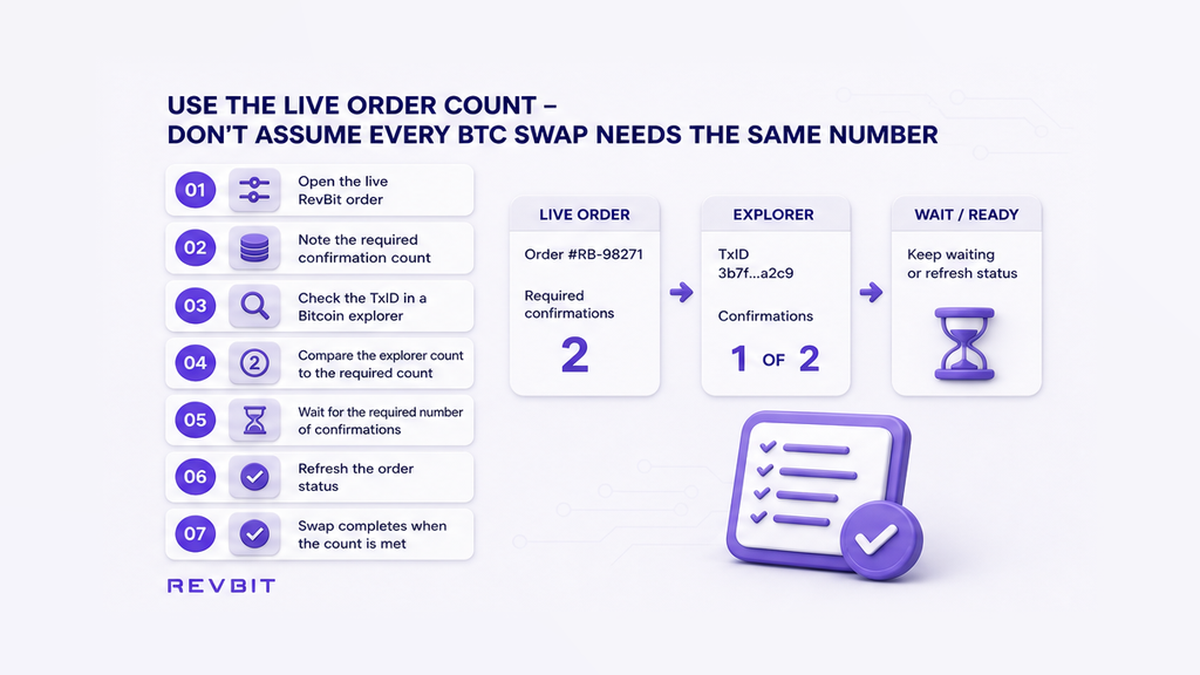
Open the exact order and record its Order ID, BTC address, amount, status, and required count. Do not rely on a number from another exchange, an old order, or a forum.
RevBit documents a minimum of 2 BTC network confirmations before processing and describes 6 as finally confirmed. Other providers publish different requirements, so 2 is RevBit’s processing minimum rather than a universal Bitcoin rule.
Do: follow the current order and its receiving service. Don’t: convert “about 10 minutes per block” into a fixed arrival deadline.
Find the deposit TxID – don’t copy the address or payout transaction
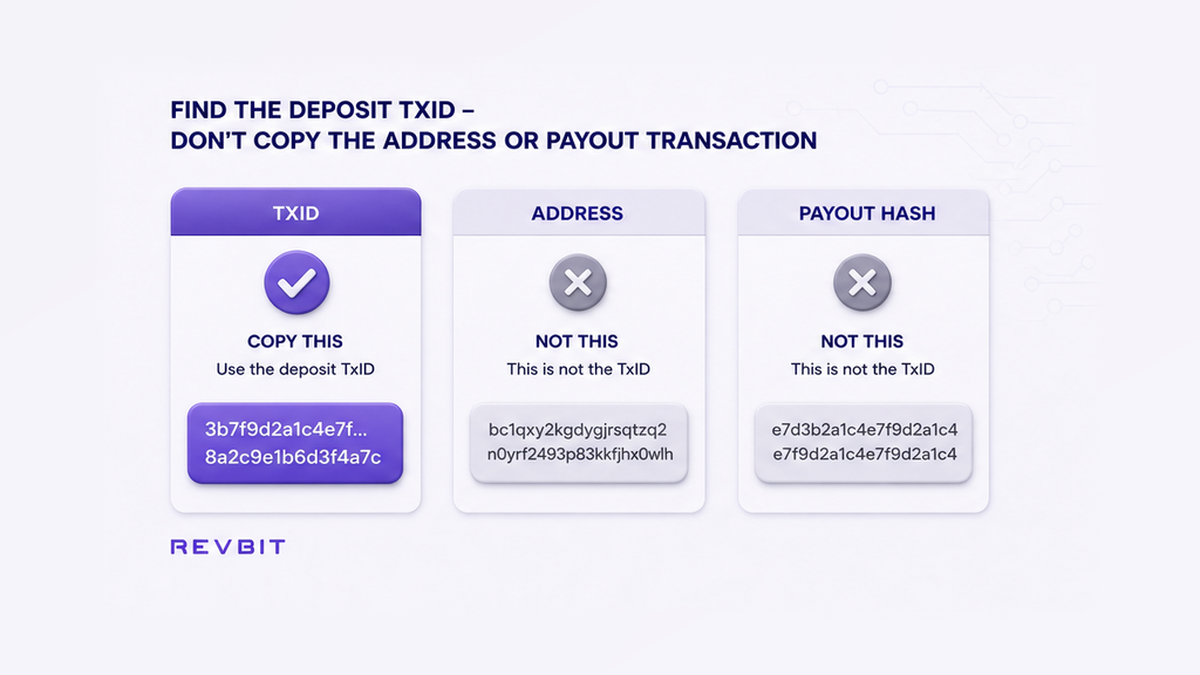
A TxID, short for transaction ID, is the receipt number for a Bitcoin transfer. Open the wallet activity or centralized exchange withdrawal record, select the BTC withdrawal, and look for “TxID”, “Transaction ID”, “Hash”, or “View on explorer”. A centralized exchange, or CEX, holds an account balance and sends the withdrawal for you.
The address is the destination, like a mailbox; the TxID is the tracking number for one delivery. The payout transaction for the asset you receive also has a different identifier. Copy only the BTC deposit TxID.
If a CEX says “processing” and gives no TxID, it may not have broadcast the withdrawal yet, so no public tracker can see it. Wait for the exchange to issue the TxID. See the guide to withdrawing from a CEX to an instant swap for this handoff.
Do: copy the TxID from the current BTC withdrawal and save it beside the Order ID. Don’t: use an address, payout hash, or identifier from an older swap.
Check a Bitcoin explorer – match the address and amount before trusting the count
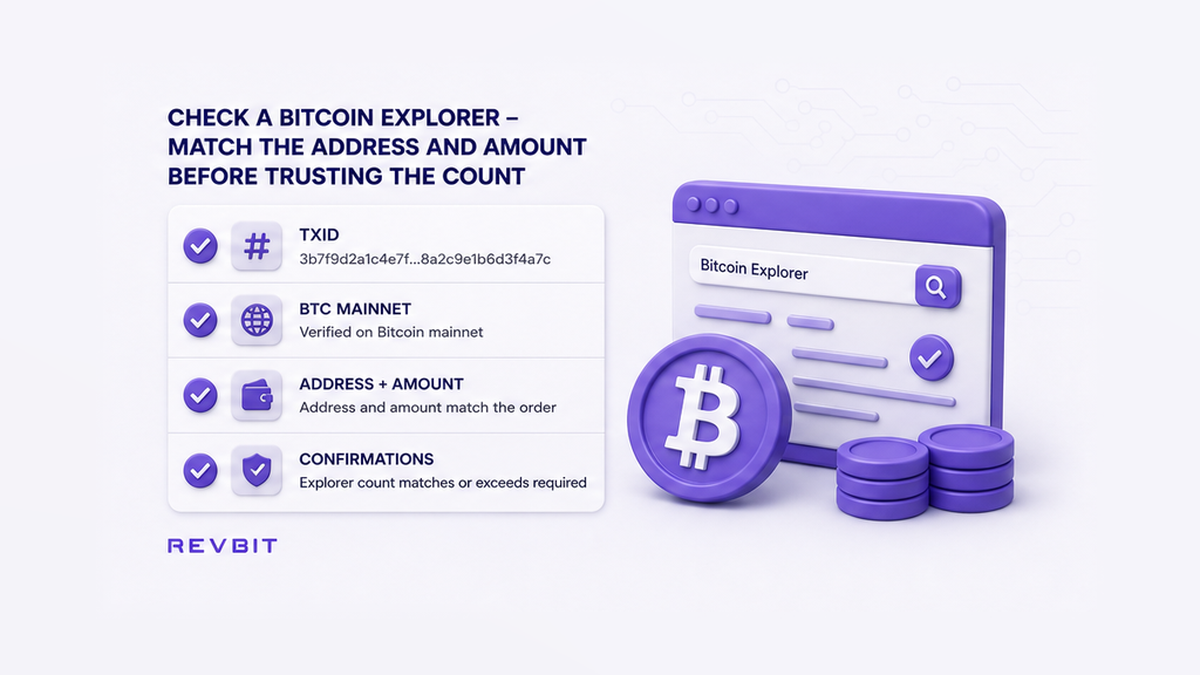
A block explorer is a public tracker for blockchain records. Open a Bitcoin mainnet explorer such as mempool.space, paste the TxID, and open the result. “Mainnet” means the real Bitcoin network, not a developer test network.
Match an output address and amount with the order. Outputs are separate destinations in one transfer. Then read the status: 0 means the transaction is unconfirmed; 1 or more means it entered a block. The count rises only as new blocks are added.
Quick decision path: No explorer result → verify the TxID and ask whether the sender broadcast it. Result with 0 confirmations → wait in the mempool. Result with 1 or more → compare the count with the order. Required count reached but order unchanged → prepare one support case.
Do: match TxID, address, network, and amount as one set. Don’t: trust a green status from a transaction that belongs to another order.
Diagnose zero confirmations – don’t treat the mempool as a failed payment
The mempool is Bitcoin’s public waiting room for valid transactions that have not entered a block yet. Miners generally select transactions based partly on fee rate and available block space. When demand rises, a transaction with a low fee rate can wait longer than the usual average.
Bitcoin targets roughly 10 minutes between blocks on average, but this is not a timetable. One block can arrive quickly; another can take 30 or 60 minutes. Two confirmations do not guarantee completion in 20 minutes.
If the TxID is missing, recopy it and check whether the sender broadcast the transfer. If it appears with 0 confirmations, compare its fee rate with the explorer’s current ranges. Fee rate is the price paid for block space.
Some wallets offer RBF, or “Replace-by-Fee”, which replaces the waiting transaction with a higher-fee version. CPFP, or “Child Pays for Parent”, uses a new linked transaction to help miners accept both. Use either only through a wallet that supports it and clearly identifies the original transfer. A CEX withdrawal must be handled by that exchange.
Do: wait when the transaction is visible and the wallet gives no safe bump option. Don’t: assume 0 confirmations means the BTC vanished or that a second transfer will cancel the first.
Compare the count with the order – keep refreshing instead of resending
Once the explorer shows 1 or more confirmations, place its count next to the order requirement. If the order needs 2 and the explorer shows 1, the deposit is real but not ready for processing under that policy. Wait for another block and refresh both pages afterward.
At the required count, allow the order tracker time to update. The network confirms first; the service must still detect the deposit and match it with the order. If the status stays unchanged, recheck the address and amount. An underpayment or wrong address cannot be fixed by more blocks. Use the stuck swap order checklist to separate these causes.
Do: refresh after a new block and keep one browser tab for the order and one for the explorer. Don’t: create a replacement order or send to the same address again while the first deposit is unresolved.
Run the eight-step check – don’t skip the evidence before you act
Use this sequence whenever a BTC swap deposit is pending. It keeps the network facts, service policy, and next action in the right order.
- Step 1: Open the current swap order and record its Order ID, BTC address, amount, status, and required count.
- Step 2: Open the sending wallet or CEX withdrawal and copy the BTC deposit TxID.
- Step 3: Search that TxID on a Bitcoin mainnet block explorer.
- Step 4: Match the explorer output address and amount with the current order.
- Step 5: Classify the status as not found, 0 confirmations, or 1 or more confirmations.
- Step 6: Compare the explorer count with the order’s requirement, using RevBit’s documented minimum only if no more specific count appears.
- Step 7: Wait and refresh after new blocks; use wallet-supported fee bumping only when you understand the original transaction.
- Step 8: Contact official support once if the count meets the requirement but the correct order does not advance.
Save the order details. For your next transfer, open the RevBit swap widget, create a fresh order, and verify its address, amount, and requirement.
Do: finish all eight checks in order. Don’t: jump from a pending label straight to a duplicate payment.
Contact official support once – send the Order ID and TxID together
Escalate when the correct address and amount have enough confirmations but the order still does not advance. Send one packet: Order ID, BTC deposit TxID, amount, both addresses, network, time, explorer status, and screenshots. Never include a seed phrase or private key.
Use the official RevBit support page and keep one case thread. RevBit’s Terms say claims on exchange applications must be submitted within 7 business days, so do not leave a confirmed but unresolved order unattended.
Do: send the Order ID and TxID in the first official support message. Don’t: resend BTC, reveal wallet secrets, or open repeated cases for the same deposit.
Frequently asked questions
How many confirmations does a RevBit BTC swap need?
RevBit documents a minimum of 2 Bitcoin network confirmations before processing a request. Check the current order first and follow a more specific requirement if one is displayed there.
Why does my BTC deposit show zero confirmations?
It is usually still in Bitcoin’s waiting room, the mempool. Verify the address and amount, then wait unless your wallet offers a fee bump you understand.
How do I find a Bitcoin TxID and check its confirmations?
Open the sending wallet or exchange withdrawal, copy “TxID”, “Transaction ID”, or “Hash”, and search it on a Bitcoin mainnet explorer. Match the order address and amount.
Why is my swap pending after enough confirmations?
The network may have confirmed the transfer before the order tracker credits it. Refresh the current order, recheck its address and amount, then send the Order ID and TxID to official support if the status does not advance.
Should I resend BTC while the swap order is waiting?
No. The first transaction can still confirm later, leaving you with two deposits. Keep tracking the original TxID and ask official support about that order instead.
Can I speed up an unconfirmed BTC deposit with RBF or CPFP?
Possibly, if the sending wallet supports the feature and you control the required transaction or output. Use the wallet’s documented fee-bump flow; do not create a second swap payment and assume it replaces the first.