
You created a crypto swap, then changed your mind – or already hit send and panic about how to cancel. The honest split is simple: if coins are still in your wallet, do not send and let the unpaid order expire; if a TxID already exists on-chain, there is no one-click undo. Use this guide to classify your case, abandon safely before deposit, and escalate after payment with Order ID + TxID inside RevBit Terms clocks – without expecting a guaranteed full refund.
Summary: Canceling a crypto swap depends on timing. Before deposit, leave coins in your wallet, ignore fake “cancel helpers,” and open a fresh order only after the old quote window ends. After broadcast, the chain cannot reverse the send; contact official RevBit support with Order ID and TxID. Terms 6.3 state exchanges cannot be canceled by REVBIT – outcomes follow claim windows, not a promised return of coins.
Instant exchangers like RevBit are non-custodial: you send from your wallet to a deposit address, then receive to an address you control. A broadcast transaction is a public ledger event – the exchanger cannot pull it back like a card chargeback.
This article is the before/after payment timeline. If your pain is a long-waiting status screen, use the stuck crypto swap order status checklist instead. If the amount is wrong, use the underpaid crypto swap refund checklist (or the overpaid twin) – amount mismatch is not cancel.
Split the timeline: before you send vs after the deposit is broadcast
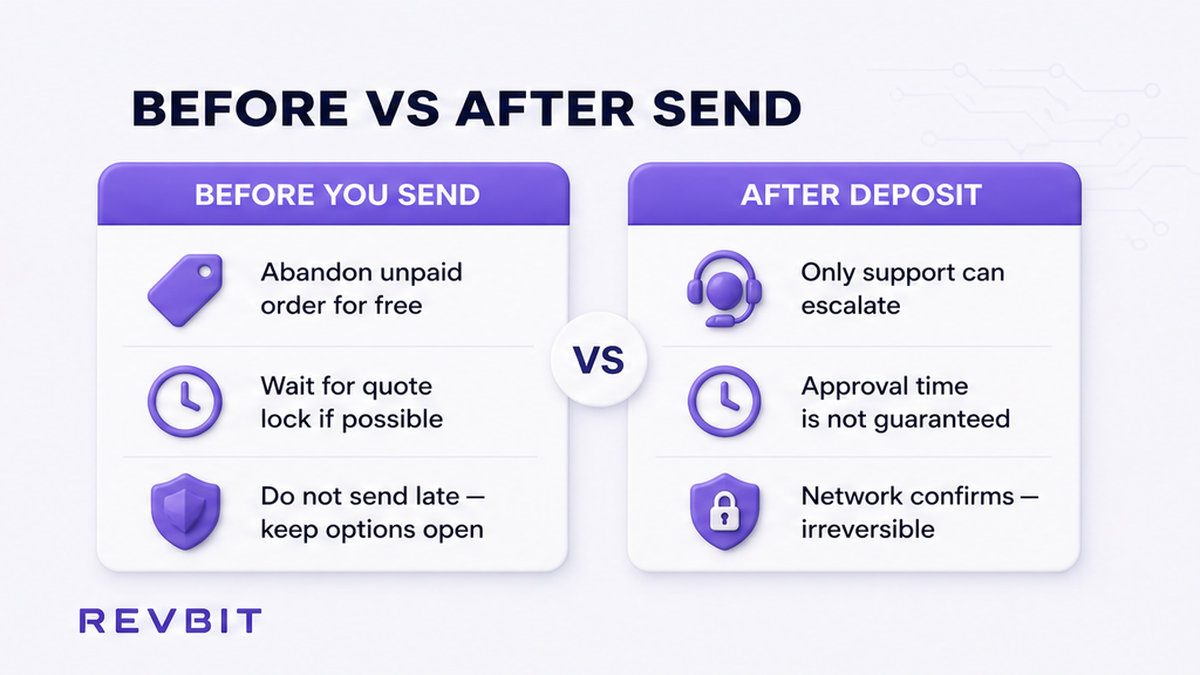
Start with one question: did any coins leave your wallet toward the deposit address?
| Lane | What you see | What “cancel” really means | Do / Don’t |
|---|---|---|---|
| Before deposit | Order created; wallet balance unchanged; no TxID | Do not send; wait for window to end; create a new order if needed | Do keep funds in wallet. Don’t reuse an old Fixed address. |
| After broadcast | Wallet shows a send; explorer has a TxID (pending or confirmed) | No on-chain undo; evidence pack; official support; Terms / AML outcomes | Do stop further sends. Don’t expect a one-click cancel or full refund. |
Workflow: Create order → Still holding coins? → Do not send → Let window expire → New order if needed. Already sent? → Copy Order ID + TxID → Check explorer → Official support only → Follow live status / Terms path.
Industry FAQs match this pattern: abandon while awaiting deposit; after chain confirm, reverse is usually impossible. This guide does not invent a RevBit “Cancel Exchange” button – the safe before-deposit path is simply not sending.
Do: classify before you message anyone. Don’t: mix wallet mempool tools with “cancel my exchange order.” MetaMask can try to cancel a pending same-nonce send in your wallet; that is not canceling a RevBit order after funds confirm at the deposit address.
Before payment: abandon the order, wait for quote lock, do not send late
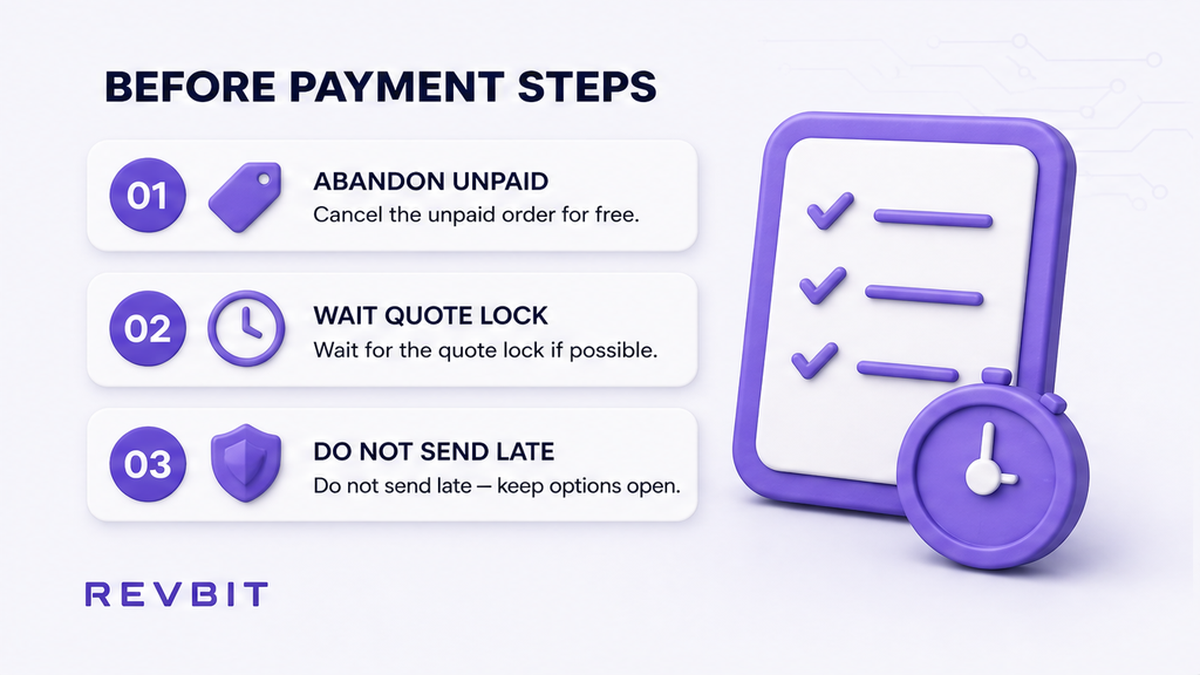
If you have not deposited, you still control the outcome. Fixed rate freezes the quote for 12 minutes (fee 1% + network). Floating is 0.5% + network and locks only when funds arrive and the exchange completes. When the window ends and you never paid, nothing left your wallet – that is the clean “cancel.”
- Open the live order page and confirm status is still awaiting deposit (no credited deposit).
- Check your sending wallet: balance unchanged and no outbound TxID to the deposit address.
- Do not send to that address if you changed your mind, even “just a little.”
- Ignore Telegram / WhatsApp strangers offering to “cancel” or “unlock” the order.
- Wait until the Fixed quote lock (12 minutes) or deposit window ends so you do not send late.
- If you still want to swap, create a fresh order on the RevBit homepage swap widget with a new deposit address and current quote.
- Never reuse an old Fixed address – reused Fixed addresses and late/wrong amounts follow current-rate or refund-minus-fees paths, not a free cancel.
Sending after the Fixed window (Terms: more than 10 minutes after confirm can recalculate at current rate) is not a cancel strategy. Wrong amounts leave Fixed. Several txs to one address can mean a refund minus fees – still not a one-click cancel.
Do: abandon unpaid orders by doing nothing with the deposit address. Don’t: send late to “save” a Fixed quote, and don’t paste an expired address into a new wallet send.
After payment: what you can still request vs what is irreversible on-chain
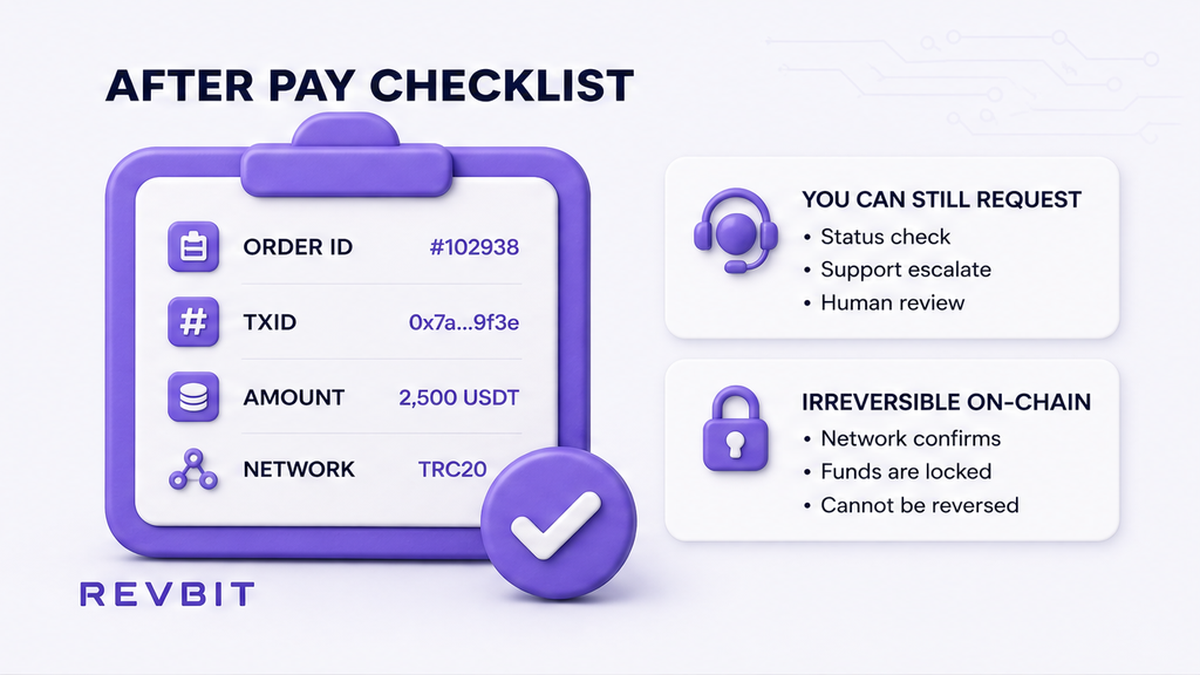
Once the send is broadcast, there is no chargeback. Confirmed transfers are final. Terms 6.3: exchanges through RevBit Services cannot be canceled by REVBIT – check details before exchanging. Do not expect “cancel after payment” to return coins automatically.
What you can still do: stop a second “undo” send unless official support asks; copy the evidence pack; ask what live status allows (wait, continue at current rate, or a refund path if Terms and AML allow).
What you cannot expect: a UI rewind of a confirmed deposit; a guaranteed full refund; or a wallet “Cancel” on a confirmed tx reversing the exchange. MetaMask-style tools only help while a tx is still pending (0 confirmations) – they cancel the wallet send attempt, not the exchanger order. Confirmed at deposit → exchanger + Terms path.
Do: treat after-broadcast as escalation + waiting on official status. Don’t: promise yourself a full recovery, and don’t talk to anyone who DMs you first with a “connect wallet” link.
Prepare the support pack: Order ID, TxID, amounts, networks
Support can only help with complete evidence. Build the pack from the live order page and a block explorer before you write.
- Copy the Order ID from the RevBit order / cabinet history.
- Copy the TxID (transaction hash) from your wallet or explorer.
- Note asset, network (for example USDT TRC-20 vs ERC-20), exact amount, and Fixed vs Floating mode.
- Screenshot the order status page and the explorer confirmation / pending state.
- Contact only official channels: RevBit support, on-site chat, or support@revbit.net – never seed phrases.
Respect the clocks in RevBit Terms of Use. Payment disagreement: within 6 hours after completion (Terms 2.13). Claims on exchange applications: within 7 business days to support@revbit.net (Terms 2.11). Tickets go through the site or email – not random DMs.
Do: send Order ID + TxID + amounts + networks in one clear message. Don’t: share seed phrases, private keys, or “verify wallet” links from strangers.
Decision checklist: wait, escalate, or open a new swap after a clean expiry
Use this final gate so you do not force a “cancel” story onto the wrong problem.
- Coins still in wallet? → Do not send → Let the unpaid order expire → Optionally create a new swap.
- TxID pending 0-conf? → Wallet fee / speed-up or wallet cancel tools only → Then re-check explorer.
- TxID confirmed at deposit? → Evidence pack → Official support inside 6-hour / 7-business-day windows.
- Status spinning but deposit already landed? → Switch to the stuck-status checklist, not this cancel guide.
- Amount too low/high vs the quote? → Underpaid / overpaid refund checklist instead of “cancel.”
- Missing memo/tag on XRP/XLM/TON? → Terms 2.12 recovery – a different path with its own fees and refusal risk.
- Clean abandon done and you still want to exchange? → Fresh order via the homepage swap widget; read how to swap crypto on an instant exchange before you send.
More how-tos: RevBit blog. EU/EEA and other restricted regions cannot use the service.
Do: pick one lane and finish it. Don’t: send a second deposit to “undo” the first, and don’t assume support can cancel what Terms 6.3 say REVBIT cannot cancel.
Frequently asked questions
Can I cancel a RevBit swap after I already sent funds?
Not with a one-click cancel. After broadcast, collect Order ID and TxID, contact official support, and follow the live status. Terms 6.3 say exchanges cannot be canceled by REVBIT – do not expect a guaranteed full refund.
What if I created an order but never deposited?
Keep the coins in your wallet. Do not send to the deposit address. Let the quote or deposit window end, then create a fresh order if you still want to swap – never reuse an old Fixed address.
What if the Fixed quote lock (12 minutes) expired before I paid?
Treat it as abandoned. Do not send late to the expired Fixed address. Open a new order for a current quote – late Fixed deposits can recalculate at current rate.
Do I automatically get a refund if I “cancel” after deposit?
No. After deposit, outcomes depend on status, Terms, and AML – refund minus fees, market rate, hold, or refusal. Ask official support; do not assume automatic full return.
Is MetaMask “Cancel” the same as canceling my exchange order?
No. Wallet cancel only tries to replace a still-pending mempool transaction. A confirmed deposit at the exchanger address needs the support + Terms path, not the wallet button.
How long do I have to contact support (6 hours vs 7 business days)?
Payment disagreement: within 6 hours after application completion (Terms 2.13). Claims on exchange applications: within 7 business days to support@revbit.net (Terms 2.11). Act inside the matching window with full evidence.
Should I send a second deposit to undo or speed up the first?
No – unless official support asks. Extra sends can break Fixed paths or create several-tx refunds minus fees. One evidence pack beats a second panic send.