
A BestChange redirect can be useful, but the click does not prove that the page you reach is genuine. A directory or monitoring page can send you to a separate exchanger, while a copied monitor can replace that destination with a lookalike domain. Verify the full hostname at every handoff before entering information, creating an order, or sending crypto.
Summary: BestChange lists and monitors third-party exchangers, but it does not control every destination site or perform the swap itself. Check the monitor domain, inspect the final exchanger hostname character by character, and ignore links supplied through ads, DMs, or Telegram. If anything does not match, stop and create a fresh order only on the verified exchanger website.
The key distinction is between a page that looks familiar and a domain that is actually correct. Scam operators can copy colors, menus, logos, exchange pairs, and order forms. The address bar and the order flow matter more than the appearance of the page.
How to verify the monitor domain before you click
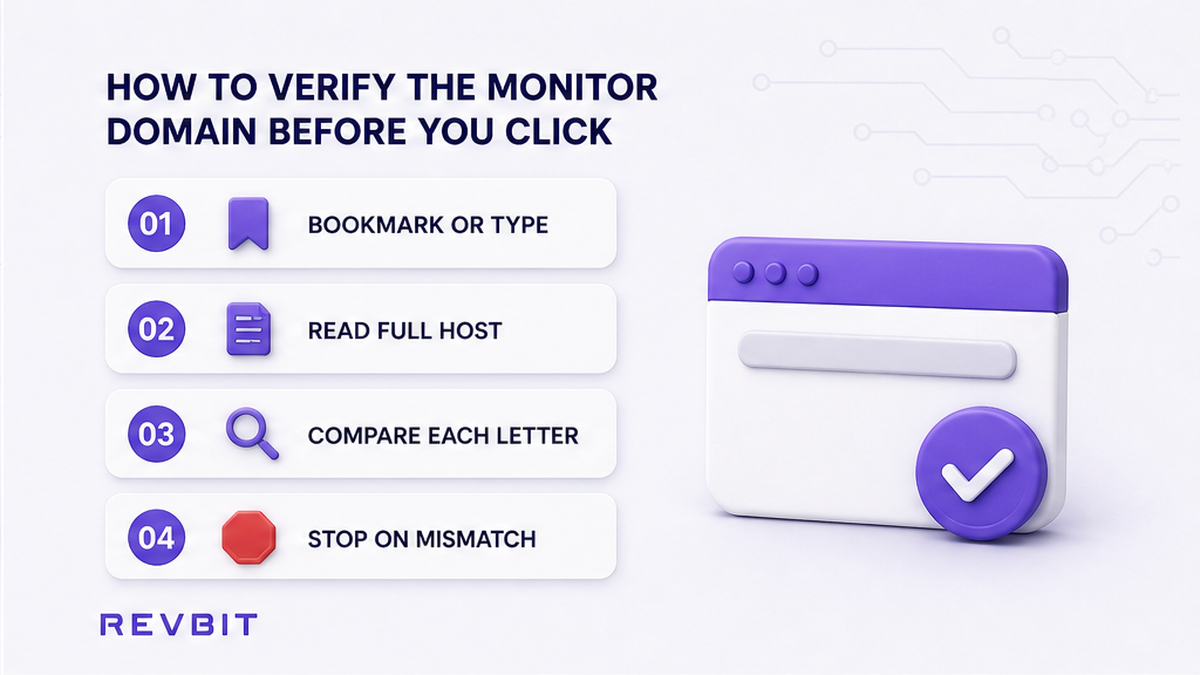
Start with the first address, not with the exchange rate. Open the monitor from a bookmark you created after checking it, or type the official host manually. Read the complete hostname in the address bar. Do not rely on a result merely because its title, logo, or snippet resembles BestChange.
Look for a dropped letter, an added word, a different word order, or a wrong top-level domain. A domain can also use a homoglyph, which resembles another character but belongs to a different alphabet. Expand the address bar if the browser hides part of it.
- Read the hostname from left to right rather than scanning the logo.
- Compare every letter, hyphen, dot, and suffix with the address you verified.
- Reject unexpected subdomains or extra words that change who controls the domain.
- Close the page if the browser shows a warning, an unfamiliar language, or an unexplained redirect.
Do not continue because the rate looks unusually attractive. Do not paste a wallet address, email, phone number, seed phrase, private key, or backup into a page until the host is verified. If unsure, close the tab and begin again from a known official address.
How to understand the outbound click as a handoff
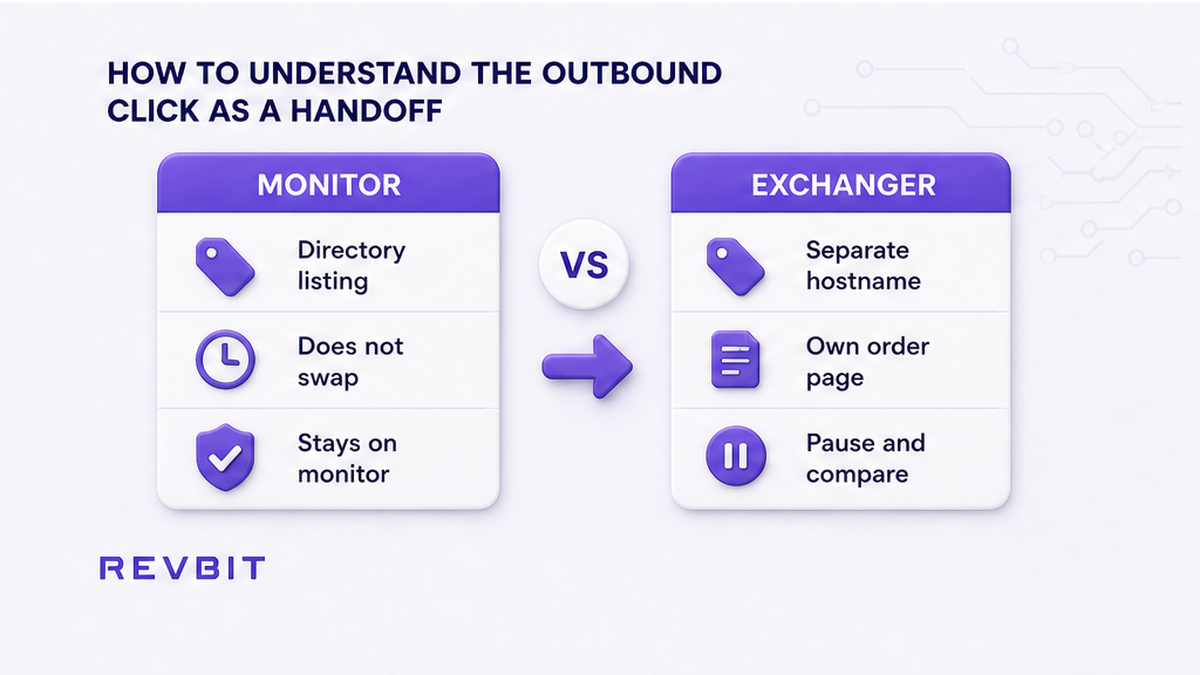
Once you choose an exchanger, the click is a handoff from the monitor to a separate website. BestChange is a directory and monitoring service, not the party that performs every listed swap. The exchanger shown after the click is responsible for its own order page, payment instructions, and deposit address.
This explains why the address bar may change. A change of domain is not automatically a scam, because the destination may be a legitimate third-party exchanger. It is a reason to pause and identify the new host. The page design, exchange pair, and displayed rate do not establish that the destination is the same service shown in the listing.
- Note the exchanger name and full domain in the monitor listing.
- Open the listing only after confirming the monitor hostname.
- Wait for the destination page to finish loading, then inspect the address bar.
- Compare the final hostname with the listing, including its suffix and spelling.
- Continue only when the domain and order context agree; otherwise close the tab.
Do not interpret the monitor’s presence as a guarantee, insurance policy, or operational relationship with every exchanger. A listing helps you compare services, but it does not transfer control of the destination to the monitor. If the handoff is confusing, do not solve the confusion by sending a small amount first.
How to compare the final exchanger hostname character by character
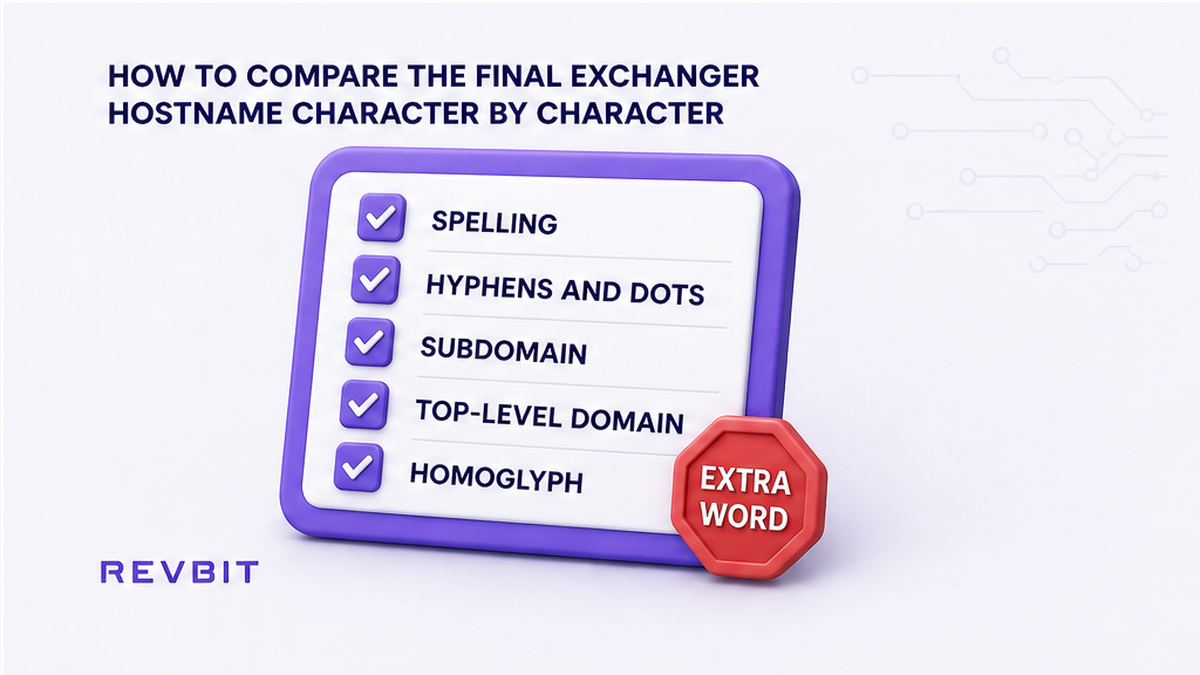
After the redirect, put the listing and the browser address bar side by side. Compare the actual hostname, not the page title or the brand shown in the header. Start at the beginning of the registered domain and move one character at a time. Check the spelling, hyphens, dots, subdomain, and top-level domain.
Common substitutions include a missing letter, an extra letter, an added word such as “secure” or “support”, and a different suffix such as a country-code domain. A lookalike may also use a homoglyph or place the familiar name inside a longer domain that belongs to someone else. If the listing says one domain and the browser shows another, treat the mismatch as decisive until independently resolved.
Do not approve a wallet connection merely because the page uses the exchanger’s logo. A wallet prompt can grant permissions unrelated to a normal deposit. Do not enter a seed phrase or private key under any circumstance. A standard exchange order should provide a current deposit address without asking for wallet backups or secret credentials.
How to reject better-rate messages and unsafe requests
Impersonators may contact users through direct messages and claim to represent BestChange or a listed exchanger. They may offer a better rate, a faster payout, or a special route unavailable on the public site. That pressure is a warning because it moves the transaction away from the verified listing and into a channel controlled by the sender.
BestChange does not exchange funds itself. A person claiming to be BestChange support should be verified through the current official website, not through a Telegram handle, private message, or profile link. Telegram clones of exchanger names are a known trap. The name and avatar can be copied, while the destination wallet and order process belong to the impersonator. Walk those chat claims through the fake crypto exchange support checklist before you reply or send anything.
Stop immediately if any page or message requests a seed phrase, private key, wallet backup, or an unusual wallet connection. Also stop if it asks you to send first to “unlock” an order, pay a private recovery fee, or use a deposit address supplied in chat. A normal order should be created on the verified exchanger domain, with instructions shown inside that order.
- Ignore a special rate that exists only in a DM.
- Do not use a Telegram username as proof of an exchanger’s identity.
- Do not send funds to an address copied from a chat, comment, or support message.
- Do not let urgency replace a hostname and order verification.
You can use an official social account as a signpost only when its link leads back to a domain you verify independently. The account itself is not enough. If a conversation conflicts with the public website, treat the public, verified order flow as the reference and abandon the conversation.
How to create the order and report a suspicious link
Once the exchanger hostname matches the verified listing, create the order directly on that website. Do not return to a chat to request an address or reuse an old address from a previous transaction. Open the verified domain, select the pair and network carefully, and let the site generate a fresh order. When that host is an instant exchange you already verified, follow how to swap crypto on an instant exchange, and use a test swap before a large transfer instead of sending the full amount on the first order.
Read the final order page before sending. Confirm the asset, network, amount, destination asset, and any memo or tag requirement. Copy the current deposit address from that order, then compare the first and last characters after pasting it into your wallet. Network compatibility matters: an address can look plausible while belonging to a different network.
Do not send because a person says the order is waiting or because a timer is creating pressure. If the address changes between the order page and a message, trust neither message nor screenshot. Return to the verified website and open the order there. When the page is unavailable, wait or contact support through a route reached from the verified domain.
If the domain does not match, close the tab without entering data. Save the suspicious URL, screenshots, the listing name, and the time of the event. Do not click the link again merely to investigate. Report it through the monitor’s current official contact route, which you should verify on the official site.
Keep any report factual: state what domain appeared, where the click began, what changed, and whether you entered information or sent funds. Avoid publishing private keys, seed phrases, full wallet backups, or sensitive order data.
Frequently asked questions
Does BestChange itself swap crypto?
No. BestChange monitors and lists third-party exchangers. The click-through leads to an exchanger that operates its own order and payment process.
How do I spot a fake BestChange domain?
Check the full hostname for missing or added letters, homoglyphs, extra words, a wrong suffix, and unexpected redirects. HTTPS helps encrypt traffic but does not prove identity.
What if the exchanger page after the click looks different?
Do not judge by design alone. Compare the final hostname with the verified listing. If the hostname differs or cannot be confirmed, close the page and do not enter data.
Should I send to an address from Telegram?
No. Ignore chat-supplied addresses. Create a fresh order on the verified exchanger website and copy the current deposit address shown inside that order.
What should I do after finding a suspicious redirect?
Close the tab, avoid entering information, preserve the URL and screenshots, and report the link through a support or contact route verified on the official monitor website.
Disclaimer: The material in this article is not financial or investment advice. Everything stated here reflects the author's personal view and should not be treated as a recommendation to trade or invest. We make no warranties regarding the accuracy, reliability or completeness of the information presented. Cryptocurrency markets are highly volatile and can move unpredictably. Before committing any funds, every investor, trader or crypto user should study several independent sources and check the regulations that apply in their own jurisdiction.